
Blog ·
How to connect a keypad lock to VRBO booking confirmations
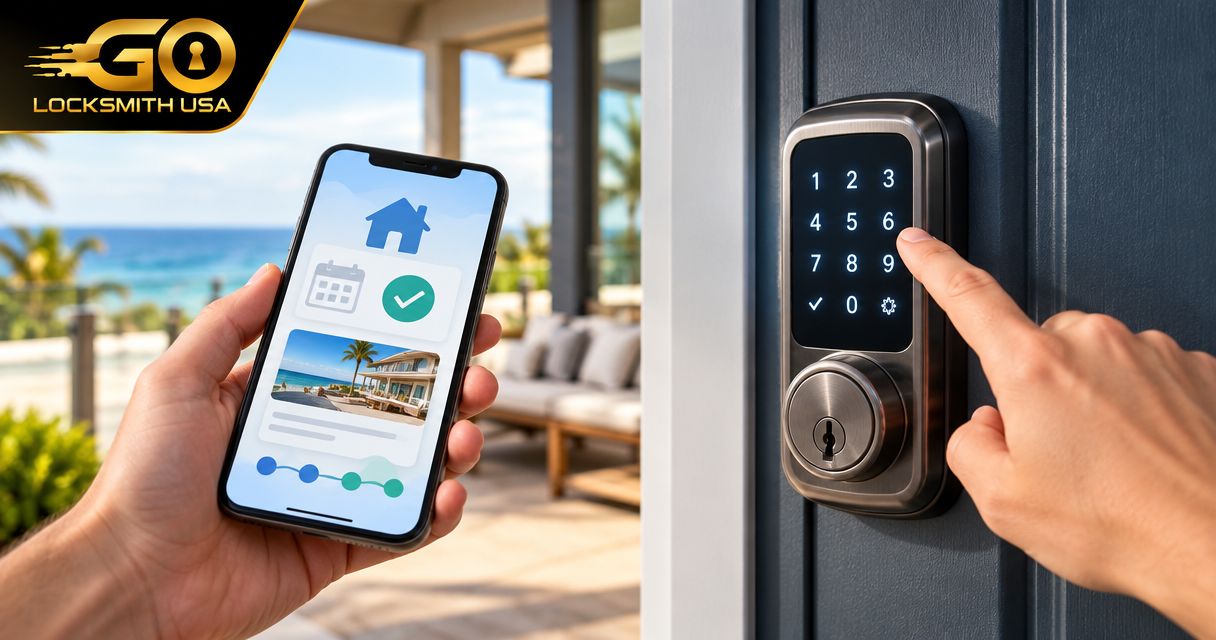
Instead of manually creating and sending a door code after every Vrbo confirmation, connect a compatible reservation-management service to your keypad lock so confirmed bookings can drive scheduled guest access. The connection depends on the exact lock and software: a keypad alone does not establish booking integration, and a booking confirmation does not prove a code reached the door.
TL;DR
- To connect keypad lock to Vrbo bookings, first verify support for your exact lock and reservation-management software.
- Use confirmed reservation data to schedule guest access; do not treat a confirmation email as proof of code delivery.
- Test code creation, reservation changes, cancellation, and expiration before relying on automated access.
- GO Locksmith serves Southwest Florida customers needing residential locksmith services, not electronic access-control installation or repair.
Why the confirmation is only the starting point
A useful booking-to-lock workflow must handle more than sending a welcome message. It must associate the correct reservation with the correct door, apply the intended access window, and keep the guest's instructions consistent with the code actually programmed into the lock.
Build around the reservation record, not just the confirmation email. An email describes an event; the reservation record provides the context needed to distinguish a new stay from an amended or canceled one.
GO Locksmith is a mobile locksmith service for Southwest Florida customers needing house lockout assistance, rekeys, and lock repair or replacement. This guide explains the planning and checks for a software connection; it does not describe a booking-integration service offered by the company.
Before you start
- Confirm account permissions. You need authorized access to the Vrbo listing, the software handling its reservations, and the lock's administrator account. Use the software provider's current instructions to confirm which account owns the connection.
- Verify the complete compatibility chain. Check the exact lock model, any required bridge or hub, the reservation software, and its documented Vrbo connection. Confirm scheduled codes, code removal, and reservation-change handling separately; support for unlocking remotely is not proof of those capabilities.
- Check the hidden scheduling issue. Establish which system supplies the property's time zone and check-in/check-out times. A reservation date without the intended access times is not a complete lock schedule.
Do not start by buying hardware or connecting accounts experimentally. First obtain confirmation from the relevant software and lock providers that the proposed combination supports the workflow you need.
Choose the workflow your equipment actually supports
These are workflow options, not claims that a particular provider supports them. Select a route only after checking its documentation.
| Workflow | Best for | Advantage | Limitation |
|---|---|---|---|
| Supported reservation-to-lock connection | Hosts whose exact software and lock combination is supported | Keeps reservation details and access scheduling in a documented workflow | Requires confirmed support for each needed event, including changes and cancellations |
| Supported automation connector | Hosts whose providers document the required booking and lock actions | Lets you connect supported events and actions | An available booking trigger does not establish code creation, scheduling, or deletion support |
| Manual code management | Hosts without a verified automated connection | Lets you check each reservation and code directly | Requires a person to create, communicate, update, and remove access |
Use the supported reservation-to-lock route when its documented capabilities cover the entire stay. If no verified route covers code removal and booking changes, retain manual oversight rather than calling a partial connection complete.
Reservation source and property mapping
The following configuration units describe what to configure, not universal button names. Vrbo, your reservation software, and your lock provider do not share one setup screen; follow the current interface instructions for your selected combination.
- Identify the system that holds the reservation record your workflow will use. If you manage Vrbo through reservation software, verify how that software receives confirmed bookings and subsequent changes.
- Follow the provider's documented account-connection process. Grant only the permissions needed for the connection, and confirm that you are authorizing the intended property account.
- Match the listing to the physical property and entrance. Record the listing identifier, the property's internal name, and the lock identifier together so similar property names do not cause confusion.
- Decide which reservation status qualifies for access creation. Use a documented confirmed-booking event or status rather than treating every inquiry, message, or calendar entry as an arrival.
- Check whether the source provides the guest's stay dates, reservation identifier, property identifier, and relevant updates. Do not assume a calendar feed contains everything needed to manage guest codes.
Expected result: You can identify the source reservation and show which property and door it maps to. No live guest access should depend on an unverified property match.
Lock connection and access rules
A door that opens from its own app has passed a different test from a door that accepts reservation-generated codes. Verify both the connection and the intended access behavior.
- Connect the exact lock using the lock or reservation provider's documented procedure. Confirm any bridge, hub, network, or account requirements for that model rather than assuming every keypad works the same way.
- Check the lock's current connection state and administrator permissions. Resolve existing communication or battery warnings before adding a booking workflow.
- Set the access window using the property's approved check-in and check-out times. Confirm how the integration interprets the property's time zone.
- Select a reservation-specific guest-code method supported by the provider. Keep guest access separate from owner or maintenance credentials, and do not put a standing administrator code into a guest-message template.
- Confirm what happens at departure and cancellation. Identify whether the system schedules expiration, removes the code, or requires an operator to complete the change.
- Define how you will verify success. A workflow event marked complete is not enough if the provider cannot show that the lock accepted the intended code and schedule.
Expected result: The selected door has a documented method for receiving guest access, an explicit access window, and a known way to end that access.
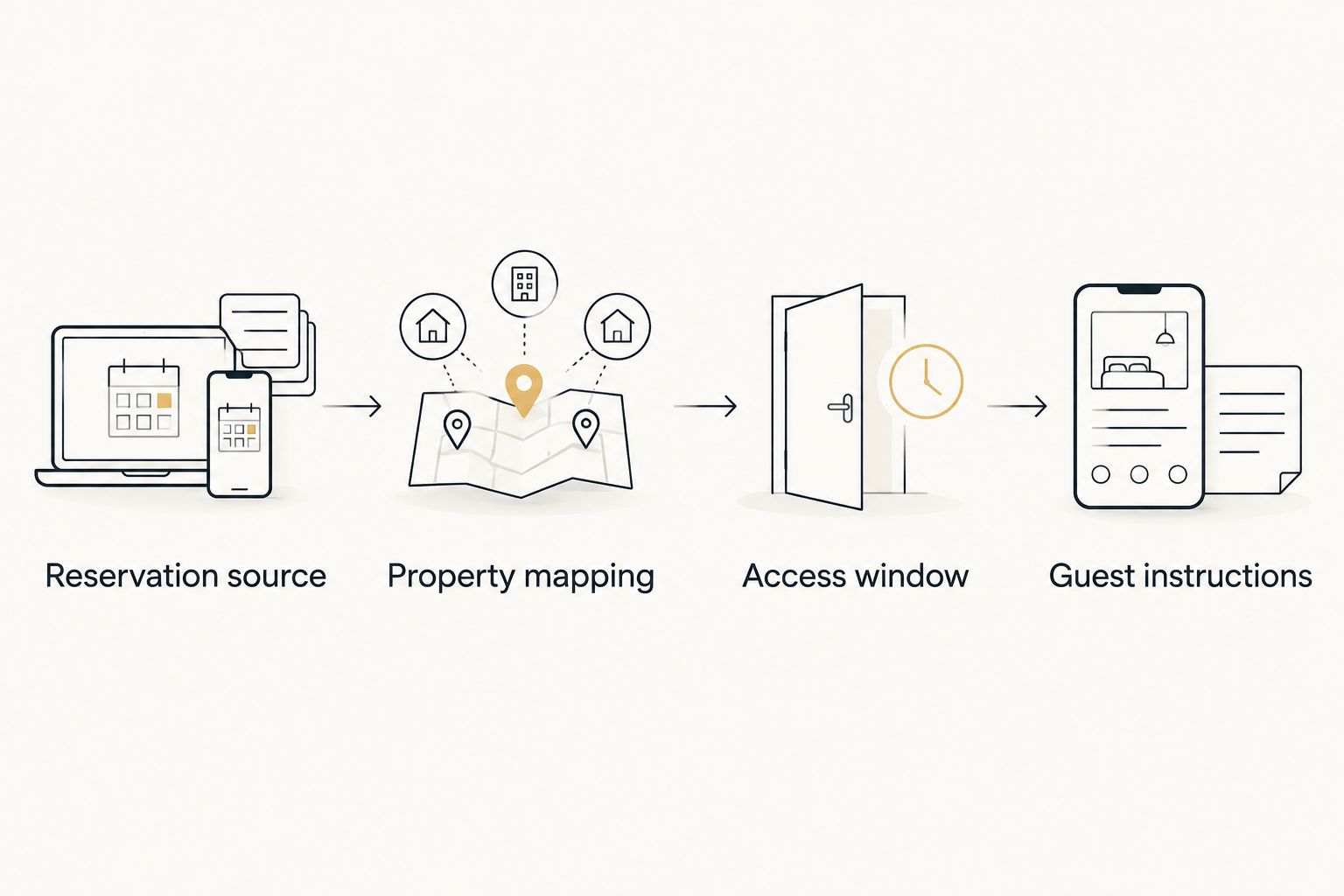
Verify the property and access window before sending the guest's entry instructions.
Guest instructions and acceptance testing
Do not equate a sent message with a working lock. Your acceptance test needs to cover the reservation, the programmed access, and the information the guest receives.
- Prepare guest instructions using the actual entrance name and the manufacturer's supported keypad procedure. Include any required confirmation key only after checking that specific lock's instructions.
- Configure code delivery through the provider's supported messaging method. Where supported, require successful code assignment before sending entry instructions; otherwise, add an operator check before the message goes out.
- Use the provider's test facility or documented testing method. Do not create a misleading live booking merely to see whether an automation fires.
- Compare the test reservation with the resulting lock record. Check the property, reservation reference, access start, access end, and guest code without publishing the code in shared notes.
- Test at the door under controlled conditions. Keep authorized alternative access available, follow the lock manufacturer's directions, and avoid leaving yourself locked outside.
- Check denied access as well as successful entry. Using the provider's supported test method, verify that the guest credential does not grant access outside its intended window.
- Confirm what the guest actually receives. Remove placeholder text and check that instructions do not expose another reservation's credentials.
Expected result: The correct guest credential works at the correct door during its intended window, and the guest receives matching instructions. If any element fails, keep the workflow under manual review.
When a Vrbo reservation changes or is canceled
Booking changes need their own workflow. Do not assume the process that creates a code also updates or removes it.
For an amended stay, locate the existing reservation by its stable reservation identifier. Check that the integration updates the intended access window rather than leaving an obsolete code active and creating unrelated access alongside it.
For a cancellation, verify the documented removal or revocation action. Then inspect the lock's reported result; a canceled reservation and an inactive door credential are separate conditions to confirm.
Use these acceptance checks before relying on change handling:
- Extended stay: The approved departure time is reflected in guest access and instructions.
- Shortened stay: Access ends at the revised departure time rather than the original one.
- Changed property: The original property's access is addressed before instructions for another door are sent.
- Canceled stay: The guest credential is no longer usable according to the provider's supported verification method.
- Repeated event: Processing the same reservation update does not leave unintended additional credentials.
Where your providers do not support one of these actions, assign it to a named operator. Unsupported automation is a manual responsibility, not an exception to ignore.
Troubleshooting booking-to-lock failures
The booking appears, but no guest code exists
Check the reservation status, property mapping, account permissions, and documented code-creation support. A connection that receives booking information is not necessarily authorized or equipped to write credentials to the lock.
Inspect the provider's error details before repeating the action. Confirm whether a credential already exists so a retry does not introduce conflicting access.
The code works at the wrong time
Compare the property's time zone and approved arrival/departure times across the reservation record and access schedule. Check the integration's documented handling of daylight saving time rather than manually shifting every reservation.
Correct the schedule and repeat a controlled test. Do not solve a timing problem by giving the guest a permanent owner code.
The guest received instructions, but the keypad rejects the code
Compare the delivered code with the credential assigned to that reservation. Check the access window, lock status, battery warnings, and the manufacturer's entry sequence.
Separate mechanical trouble from a rejected credential. If the bolt binds or the door does not align, stop forcing the hardware; repeated software changes will not correct a physical obstruction.
A canceled guest still has access
Inspect whether cancellation reached the reservation software and whether a credential-removal action followed. If removal is unsupported or failed, use the lock provider's authorized manual process and verify the result.
Also check for older credentials associated with that stay. Removing one access record does not establish that every previously issued credential has been addressed.
Customize your workflow without weakening access control
After the core connection passes testing, decide how you will handle early arrivals, late departures, network interruptions, and a guest who cannot operate the keypad. Write down who authorizes changes and who checks the final result.
Keep owner, guest, and maintenance access distinct. For each additional credential, document its purpose and removal responsibility rather than reusing a convenient guest code indefinitely.
If you manage other kinds of scheduled property access, the guide to smart locks for real estate agents and showings covers a related use case. Do not assume that a showing workflow and a vacation-rental booking workflow have identical scheduling requirements.
FAQ
Can I connect any keypad lock to Vrbo bookings?
No. A keypad does not establish reservation integration; verify the exact lock model, required hardware, and software connection before attempting automated guest codes.
Does a Vrbo booking confirmation automatically create a door code?
A booking confirmation alone does not establish that a door code was created. You need a supported workflow that receives the reservation and successfully assigns access to the correct lock.
Can I use a booking calendar feed to manage guest access?
Do not rely on a calendar feed without verifying the information and update behavior it provides. Guest access also needs the correct property, access times, credential actions, and cancellation handling.
What should happen when a guest extends a stay?
The authorized access window should reflect the approved new departure time. Verify that your integration updates the existing reservation's access and that the guest receives consistent instructions.
What if the internet stops working at the rental?
Check the exact lock's documented offline behavior and your provider's guidance. Do not assume a previously programmed code and a newly requested code behave the same way during a connection interruption.
Does GO Locksmith set up Vrbo lock integrations?
GO Locksmith's confirmed services do not include Vrbo software integration or electronic access-control installation or repair. Contact the lock and reservation-software providers for integration support; residential lockouts, rekeys, and lock repair or replacement are separate locksmith services.
One last thing
Test the end of access as carefully as the beginning. A successful check-in proves that a credential works; it does not prove the credential expires or disappears after cancellation.
For a house lockout or a physical lock problem at a Southwest Florida rental, call GO Locksmith at (239) 412-1101 to discuss the job and check current availability. Hours are Sunday–Thursday 7:00 AM–11:00 PM and Friday 7:00 AM–5:00 PM; Saturday is closed.