Blog ·
Best smart locks for real estate agents and showings 2026
Best for remotely managed showings: a connected keypad deadbolt with verified scheduled-code controls. Best for an occupied listing: a compatible retrofit smart lock with a keypad. Best without property internet: a keypad lock with verified offline code entry. Choose the best smart locks for real estate agents and showings by how you grant, end, and recover access—not by the number of app features.
TL;DR
- The best smart locks for real estate agents and showings match the property's access schedule, door hardware, and backup-entry needs.
- Choose a connected keypad deadbolt when you need verified remote code management between appointments.
- Choose a compatible retrofit lock when the seller wants to retain the existing exterior cylinder.
- Choose offline keypad entry when property internet is unavailable; confirm how you change and revoke codes.
- GO Locksmith provides confirmed residential rekey and lock services, not electronic access-control installation or repair.
Why showing access needs its own buying criteria
A showing lock has to support more than everyday household entry. You need to authorize visitors, handle cancellations, preserve the seller's access, and transfer control when the property changes hands.
Start with permission from the owner and any applicable brokerage or association requirements. A consumer smart lock does not automatically replace a required showing-access system, and a code-entry record does not prove who physically entered.
For mechanical lock repair, replacement, or rekeying around a listing, GO Locksmith is a mobile locksmith serving Fort Myers, Cape Coral, Lehigh Acres, Estero, Bonita Springs, and Naples. Keep that work separate from selecting or administering electronic access features.
What makes a smart lock suitable for real estate showings?
Use these criteria before comparing individual models. Treat an undocumented capability as a reason to pause, not as a feature you can assume.
- Scheduled access: Verify whether the exact model supports start times, expiration, and separate visitor credentials. Code storage alone does not establish scheduling support.
- Revocation method: Establish how you remove access after a cancellation, and whether the change requires a working internet connection or an on-site visit.
- Door compatibility: Check the manufacturer's requirements against the actual door, deadbolt, cylinder, and interior clearance. A familiar-looking lock is not proof of fit.
- Backup entry: Identify the documented recovery method for depleted batteries, a missing phone, or an account problem. Make someone responsible for that backup.
- Seller control: Decide who owns the administrator account, who maintains the lock, and whether the seller needs uninterrupted use of an existing key.
- Closing handover: Confirm how credentials, accounts, and any retained mechanical keys will be handled when possession changes.
Buy for the access task you must complete, not for a feature list you will never use. A remote-management feature has little value if nobody is assigned to cancel expired appointments.
Smart-lock setups at a glance
These are ranked configurations, not endorsements of particular manufacturers. Exact capabilities depend on the model, accessories, account settings, and documented installation requirements.
| Rank and setup | Best for | Feature to verify | Key limitation |
|---|---|---|---|
| Connected keypad deadbolt | Vacant listings managed away from the property | Remote management of scheduled visitor codes | Remote changes depend on the documented connection requirements |
| Retrofit smart lock with keypad | Occupied listings retaining compatible exterior hardware | Retained cylinder and keypad access | Existing hardware compatibility must be confirmed |
| Offline-capable keypad lock | Listings without dependable property internet | Offline entry using an already authorized code | Local entry does not establish remote code-management capability |
The categories can overlap. A connected lock can also support offline entry, and a retrofit lock can include remote management; the ranking identifies your primary buying requirement, not mutually exclusive technologies.
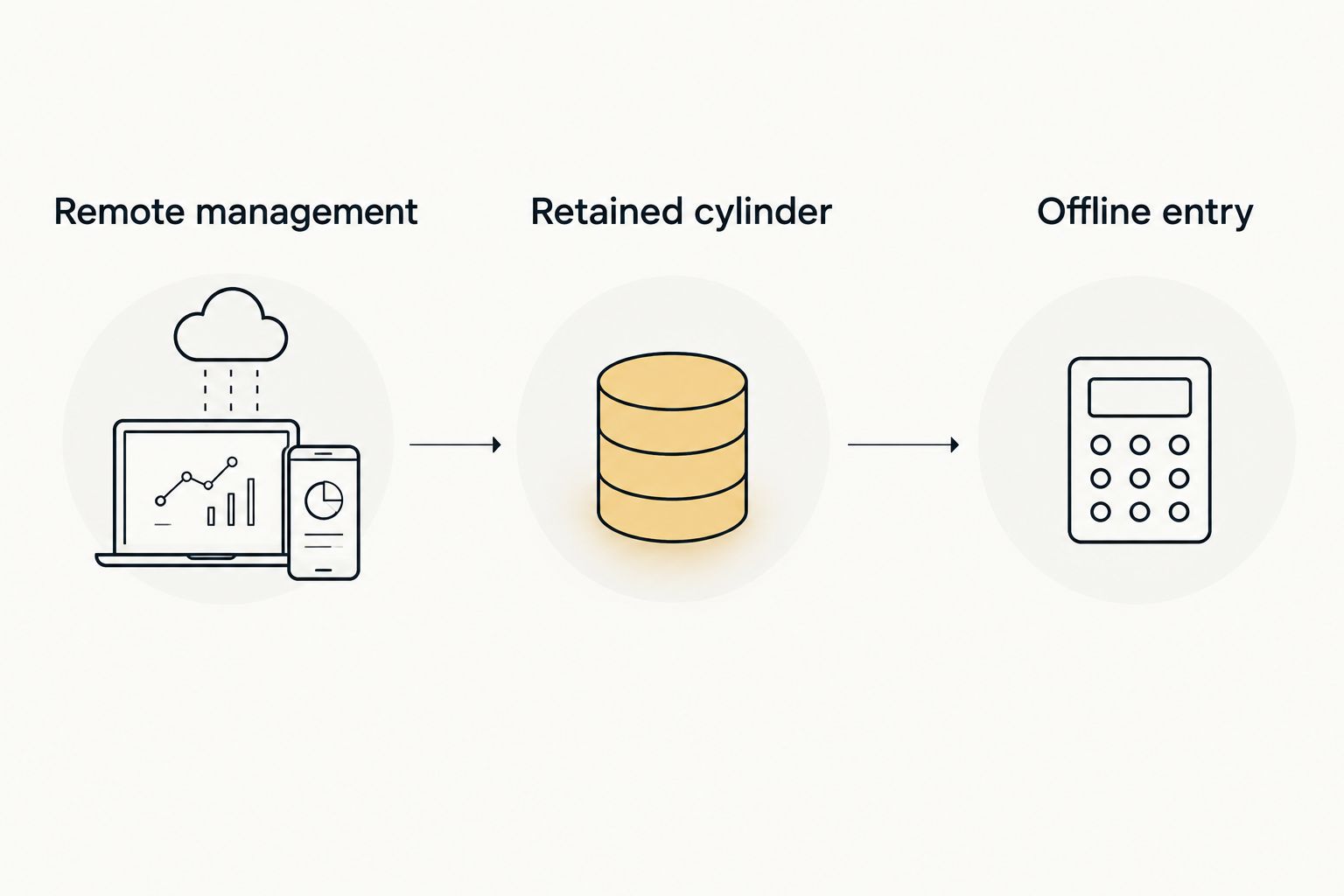
Choose the setup around the listing's main access requirement, then verify the exact model.
1. Connected keypad deadbolt: for remotely managed vacant listings
A connected keypad deadbolt is the first configuration to assess when you manage showing access from somewhere else. Select a model whose documentation explicitly covers the remote code controls you need; an app-enabled lock does not automatically provide scheduled visitor access.
The keypad gives an authorized visitor an entry method that does not necessarily require your administrator account. Verify whether visitors need an app, an invitation, or another credential before choosing the model.
Connected keypad deadbolt pros:
- Documented remote management lets you administer supported credentials without attending each appointment.
- Separate visitor codes make access easier to distinguish than a shared household code.
- Verified expiration controls support a defined access window.
- A keypad avoids handing every visitor a physical key.
Connected keypad deadbolt cons:
- Remote changes require the connections specified by the manufacturer.
- Someone must maintain batteries, accounts, and access settings.
- A successful unlock record is not proof of the visitor's identity or confirmation that the door was secured afterward.
Before buying, ask what happens when the property loses internet after a code is created. Check separately whether that code still works, whether its expiration remains effective, and whether you can revoke it remotely.
Best for: A vacant listing where an authorized administrator needs to adjust showing access without visiting the property.
Verdict: Buy only after scheduled access, cancellation handling, and backup entry are verified for the exact model.
2. Retrofit smart lock with keypad: for occupied listings
A retrofit smart lock changes the interior operating hardware while retaining compatible portions of the existing lock. The exact retained components depend on the product, so confirm compatibility rather than assuming that every existing deadbolt works.
For an occupied listing, retaining a compatible exterior cylinder can preserve the seller's familiar key entry. Add keypad access only through a documented compatible configuration; the keypad is not necessarily included or supported by every retrofit product.
Retrofit smart lock with keypad pros:
- Retaining a compatible cylinder preserves its existing mechanical key function.
- The seller can keep familiar exterior hardware where the configuration allows it.
- A documented keypad option provides visitor access without sharing the seller's app credentials.
- The configuration separates the seller's existing key access from newly assigned electronic credentials.
Retrofit smart lock with keypad cons:
- Compatibility narrows the selection before access features are considered.
- Retaining the cylinder also retains access for existing working keys until the cylinder is rekeyed or replaced.
- Keypad and remote-management requirements need separate verification.
Discuss ownership before installation. If the seller controls the administrator account, agree on how the agent requests, changes, and cancels showing access without sharing the seller's account password.
Best for: An occupied listing where the seller wants to retain compatible exterior hardware and existing key entry.
Verdict: Buy when hardware compatibility and seller permissions are settled; hold if either remains unclear.
3. Offline-capable keypad lock: for listings without property internet
An offline-capable keypad lock supports local entry under the conditions documented for that model. This is the configuration to assess when a vacant property's internet service has been disconnected or a reliable connection is unavailable.
Do not confuse offline entry with offline administration. A code can work locally while adding, deleting, or changing that code still requires a specific connection or an on-site procedure.
Offline-capable keypad lock pros:
- Verified local code entry avoids depending on property internet for that entry method.
- Visitors use the keypad rather than borrowing an administrator's phone.
- A documented local-management process suits an agent who already visits the property regularly.
Offline-capable keypad lock cons:
- Remote cancellation is not established by offline-entry support.
- Local administration adds a property visit when the selected model requires it.
- Shared codes still need careful distribution and replacement.
Ask the manufacturer how time-limited access operates without connectivity, if the model offers it. Verify the relevant clock, synchronization, and expiration instructions rather than assuming an offline code remains correctly scheduled.
Best for: A listing without property internet where you can manage the documented credential process.
Verdict: Buy for verified local entry; skip configurations that cannot meet your cancellation requirements.
How these configurations are ranked
The order follows showing-management needs: remote access administration first, occupied-home continuity second, and independence from property internet third. It does not rank brands by security, reliability, or field performance.
Use the criteria above to evaluate an exact model's current manual. If two configurations meet your needs, favor the one with fewer administrative steps and a clearer backup-entry plan—not the longer feature list.
Set up a showing workflow before distributing access
Assign control
Name the person responsible for administrator access, batteries, and visitor credentials. Agree with the seller on who can change settings and when access must end.
Keep seller access distinct from visitor access wherever the documented system allows it. Do not distribute the administrator credential as the showing credential.
Match the appointment
Create access using the controls the model actually supports. Confirm the appointment details before sending the credential, and keep access information out of public listing descriptions.
A scheduling app and a smart lock are not automatically connected. Confirm a documented integration before relying on appointments to create, change, or expire credentials.
Test normal entry
Test the door with permission before the first showing. Confirm that the intended visitor credential works, the door closes correctly, and the lock operates according to its instructions.
A smart-lock feature does not correct a binding mechanical door. Address door or lock problems separately rather than relying on repeated motor operation.
End access
Remove canceled access through the verified procedure. At closing, address administrator accounts, electronic credentials, and physical keys as separate tasks.
If contractors also need entry, assign their access separately from showing visitors. The guide to smart locks for contractors and job sites covers a different access use case; a listing appointment should not inherit a contractor's ongoing credential.
FAQ
What's the best smart-lock setup for real estate showings?
A connected keypad deadbolt with verified scheduled-code controls is the first configuration to assess for remotely managed showings. For an occupied listing or a property without internet, hardware continuity or offline entry can take priority instead.
Can a showing agent use a smart lock without installing an app?
A keypad-based configuration can provide code entry without the visitor using an app, depending on the exact model. Confirm the visitor requirements separately from the administrator's setup requirements.
Will a smart lock work at a vacant house without Wi-Fi?
A lock with documented offline keypad entry can support local entry without property Wi-Fi under its stated operating conditions. That does not establish that you can add or revoke codes remotely without connectivity.
Can I connect a smart lock directly to my showing calendar?
Only rely on calendar automation when the exact lock and scheduling platform have a documented compatible integration. Otherwise, treat appointment scheduling and credential administration as separate tasks.
Does an entry log prove which agent visited the house?
An entry log does not prove who physically entered the house. It records the event information supported by that system, and a credential can be shared.
Should I delete showing codes or rekey the lock at closing?
Electronic credentials and mechanical keys need separate decisions at closing. Deleting codes does not invalidate existing physical keys, and rekeying a cylinder does not remove electronic account access.
Does GO Locksmith install electronic access-control systems?
GO Locksmith does not install or repair electronic access-control systems. Its confirmed residential services include lock repair, replacement, rekeying, fresh installation, and house lockout assistance; call to discuss the specific mechanical lock job.
How much should I budget for locksmith work on a listing?
Request a job-specific estimate because the work depends on the lock, hardware, and service needed. Call GO Locksmith at (239) 412-1101 to discuss the mechanical lock work and check current availability.
Which setup should you choose?
For a vacant listing managed remotely, start with a connected keypad deadbolt whose scheduled-code controls are documented. Choose a retrofit configuration when preserving the seller's compatible hardware matters more, or offline-capable keypad entry when the property lacks internet.
Do not purchase until you can explain how an approved visitor enters, how canceled access ends, and how someone authorized recovers entry. Those answers matter more than voice-assistant compatibility.
One last thing
A retained mechanical key remains a separate access route. Removing showing codes does not remove that key's ability to operate its cylinder.
GO Locksmith is a fit for agents needing residential rekeying and mechanical lock service in its confirmed Southwest Florida service areas. Call (239) 412-1101 to discuss the job and check availability. Hours are Sunday–Thursday, 7:00 AM–11:00 PM; Friday, 7:00 AM–5:00 PM; Saturday closed.