Blog ·
Best smart locks for contractors and job sites 2026
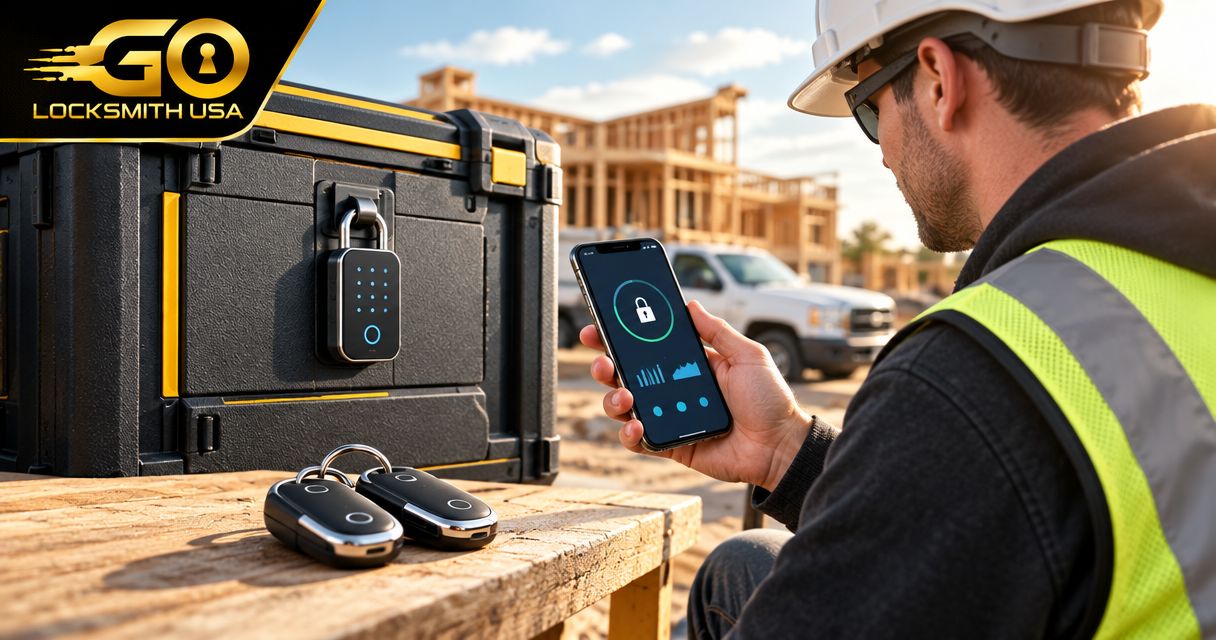
Best default for an enclosed renovation: a keypad smart deadbolt with locally managed access. Best for off-site supervision: a remotely managed smart deadbolt; best for preserving existing keys: a compatible retrofit smart lock; best for gates and containers: an exterior-rated smart padlock. Choose the lock type around the opening, crew access, and job-site conditions—not the longest feature list.
TL;DR
- The best smart locks for contractors and job sites match the opening, access workflow, and exposure.
- Choose locally managed keypad access when crews need entry without relying on site internet.
- Choose remote management only after checking connectivity and how access works during an outage.
- GO Locksmith handles confirmed mechanical lock services, not electronic access-control installation or repair.
Why job-site access needs a different buying checklist
A renovation crew needs access that ends when the work ends. A homeowner needs control of the property throughout the project. Those goals are easier to meet when you separate daily entry, access administration, and final handover.
GO Locksmith is a mobile locksmith service offering mechanical lock repair, replacement, and rekeying. For the wider access plan, the job-site lock services guide covers the contractor context beyond selecting a smart lock.
This guide ranks lock types by their fit for different jobs. A residential renovation door, a commercial exit, and a storage container are different openings; buying the same device for all of them is not a sound specification.
What makes the best smart lock for a job site?
Use these criteria before comparing individual models:
- Opening compatibility: Match the lock to the door, frame, existing hardware, and permitted modifications. A standard deadbolt is not a substitute for every commercial lock.
- Credential control: Look for separate worker credentials and a clear way to remove access. Verify scheduling and expiration features for the exact model.
- Offline entry: Establish what still works when internet service disappears. Local unlocking and remote administration are separate functions.
- Environmental suitability: Check the manufacturer's stated exposure limits for every component. An exterior keypad does not establish that the interior assembly tolerates outdoor exposure.
- Mechanical reliability: Confirm that the door closes and latches without forcing it. Electronics do not correct a dragging door or misaligned strike.
- Ownership and recovery: Decide who controls the administrator account, backup access, batteries, and handover. Those responsibilities belong in the purchase decision.
Reject an incompatible lock before comparing app features. The opening and its safety requirements come first.
Contractor smart locks at a glance
| Rank and lock type | Best for | Standout capability to require | Main limitation |
|---|---|---|---|
| Locally managed keypad smart deadbolt | Enclosed residential renovations with on-site supervision | Worker access that functions without site internet | Access changes can require someone at the property |
| Remotely managed smart deadbolt | Supervisors administering access from elsewhere | Remote credential changes supported by the exact configuration | Remote functions depend on the required connection |
| Compatible retrofit smart lock | Owner-occupied projects retaining existing exterior hardware | Compatibility with the existing deadbolt and intended entry method | Existing mechanical keys remain part of the access plan |
| Exterior-rated smart padlock | Compatible gates and storage-container hasps | Documented suitability for the exposure and access method | The hasp, mounting, and enclosure remain security dependencies |
These are buying categories, not interchangeable products. Confirm the selected model's documentation before ordering, including any accessory required for the entry method you intend to use.
1. Locally managed keypad smart deadbolt: best for supervised renovations
A locally managed keypad smart deadbolt suits an enclosed residential renovation where someone responsible for access visits regularly. Select a model that supports keypad entry without an internet connection. Verify how credentials are added, removed, and recovered before assigning access to workers.
This is the default category because it keeps the daily entry task separate from a site's internet setup. It still needs a compatible door and a named person responsible for administration.
Locally managed keypad smart deadbolt pros:
- Workers can enter without carrying a shared physical key when keypad access is configured.
- Local entry avoids making site internet a prerequisite for that entry method.
- Separate credentials, where supported, let you remove a worker's access without changing everyone's code.
Locally managed keypad smart deadbolt cons:
- Credential changes can require a visit or a nearby connection, depending on the model.
- A shared code does not identify which person actually entered.
- Battery maintenance remains necessary even without remote connectivity.
Best for: A homeowner or contractor managing a compatible renovation door with regular on-site oversight.
Before purchasing, ask whether the lock supports the access changes you need without an online account or remote connection. Do not treat a keypad as proof of scheduled access, automatic expiration, or entry history.
Verdict: Buy this category for a compatible enclosed renovation when local administration meets the access plan.
2. Remotely managed smart deadbolt: best for off-site access administration
A remotely managed smart deadbolt suits a supervisor who needs to change access without visiting the property. Select a configuration that explicitly supports the required remote functions. Depending on the product, connectivity can involve the lock itself, an accessory, or another supported device.
Remote unlocking, remote code changes, and entry notifications are different features. Verify each one rather than assuming that an app provides all three.
Remotely managed smart deadbolt pros:
- Supported remote credential changes let an administrator respond when a worker's assignment ends.
- Supported scheduling can align access with an agreed work window.
- Supported event history gives an administrator information about recorded lock activity.
Remotely managed smart deadbolt cons:
- Remote functions stop being dependable when the required connection is unavailable.
- Account ownership and administrator permissions add handover responsibilities.
- An entry record shows credential activity, not proof of who physically entered.
Best for: A supervisor administering a compatible door from elsewhere, with the required connectivity already established.
For a property awaiting internet installation, choose only after understanding offline entry. Also check what happens if power to network equipment is interrupted or the property owner changes the network.
Verdict: Buy this category when remote administration solves a real need and the connection requirements are met.
3. Compatible retrofit smart lock: best for retaining existing exterior hardware
A retrofit smart lock works with specified existing hardware rather than replacing every part of the lock. Compatibility is product-specific. If workers need keypad entry, verify that the exact configuration supports it and whether an additional accessory is required.
This category suits an owner-occupied renovation where retaining the exterior lock hardware matters. It does not remove the need to account for existing physical keys.
Compatible retrofit smart lock pros:
- A supported configuration can retain existing exterior hardware.
- Existing mechanical key access can remain part of the owner's entry plan.
- The owner can evaluate smart access without assuming a complete lock replacement is necessary.
Compatible retrofit smart lock cons:
- Compatibility depends on the existing deadbolt and the selected product.
- Removing a digital credential does not revoke an existing physical key.
- Worker entry can require an accessory or app workflow that does not suit the crew.
Best for: An owner-occupied project where compatible existing hardware should remain in place.
Identify the existing deadbolt before shopping. Check the manufacturer's compatibility information, then decide whether workers will use a keypad, an app, or a physical key. A retrofit device is not an access plan by itself.
Verdict: Hold until hardware compatibility and the worker entry method are confirmed; then buy if retaining the existing lock is the priority.
4. Exterior-rated smart padlock: best for compatible gates and containers
An exterior-rated smart padlock belongs on a compatible hasp or gate fitting, not in a door's deadbolt opening. Select a product whose documentation supports the actual exposure and operating conditions. Verify whether its access method requires a phone, nearby connection, or another credential.
The padlock is only part of this arrangement. Inspect the hasp, attachment points, gate, and enclosure before deciding that smart access addresses the site's security problem.
Exterior-rated smart padlock pros:
- It serves openings designed for padlocks rather than requiring door-lock conversion.
- Supported digital credentials can reduce physical key distribution.
- Supported credential removal can simplify access changes between crews.
Exterior-rated smart padlock cons:
- A weak hasp or damaged enclosure remains a weak point.
- Phone-dependent entry does not suit every worker or site policy.
- Exposure suitability must be established for the exact product, not inferred from appearance.
Best for: A compatible gate or storage-container hasp where the documented operating conditions match the site.
Do not use this category to improvise a lock on a required exit or an opening that needs different hardware. For Southwest Florida sites, check the product's stated environmental limits rather than treating “outdoor” as a complete specification.
Verdict: Buy only for a compatible padlock opening with suitable mounting and documented exposure limits.
Check the opening before you order
Use this sequence to turn the category recommendation into a purchase specification:
- Identify opening: Record whether you are securing a residential door, commercial door, gate, or container. Note existing hardware and any exit requirements.
- Check hardware: Identify the lock and inspect how the door closes. Resolve binding, loose fittings, or alignment problems before relying on powered operation.
- Define access: Decide who needs entry, who removes credentials, and whether administration must happen remotely.
- Verify conditions: Check the exact product's compatibility, connectivity, exposure limits, and recovery instructions.
- Plan handover: Assign account ownership, backup access, credential removal, and responsibility for ongoing maintenance.
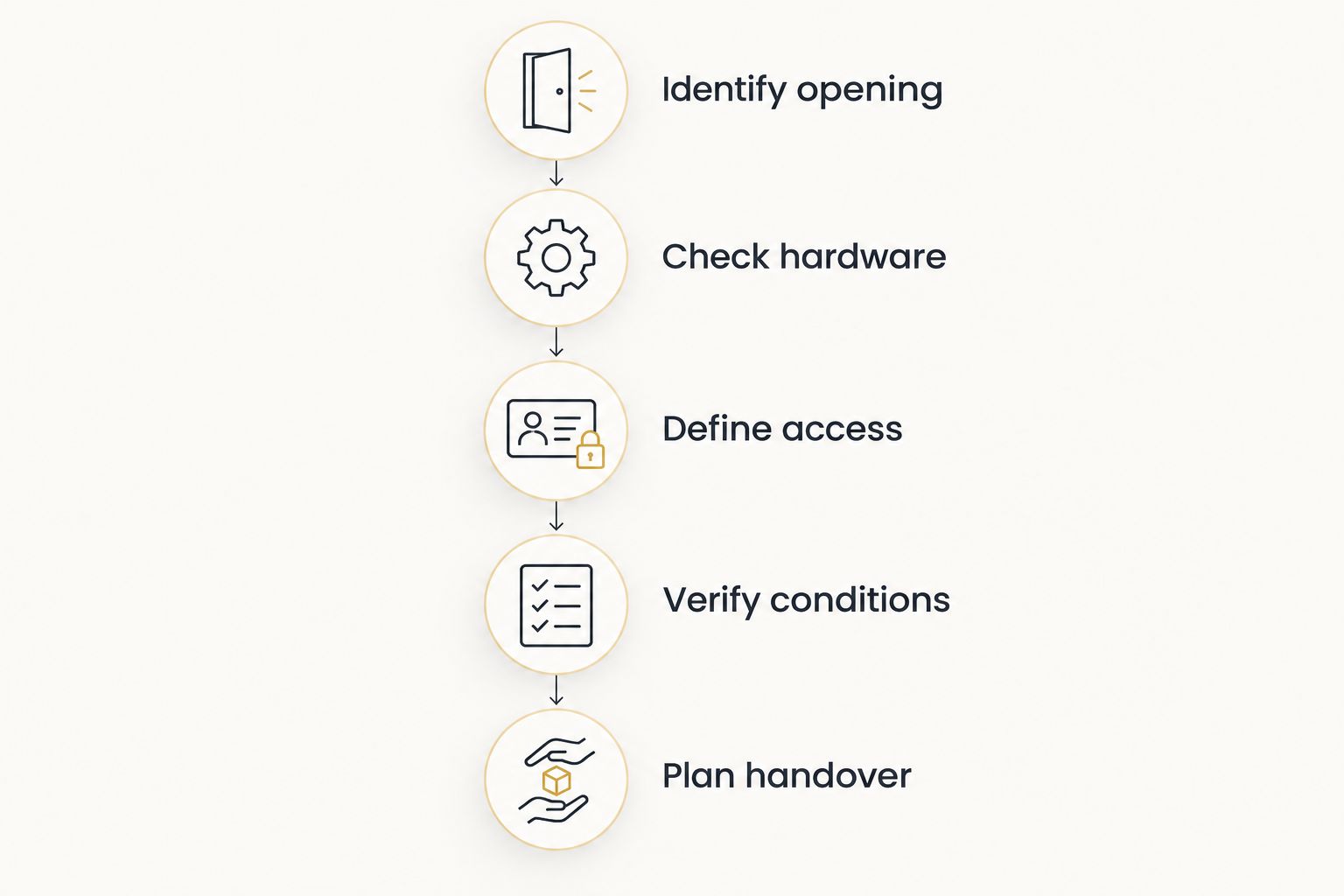
Choose the access workflow only after identifying the opening and its hardware.
GO Locksmith does not install or repair electronic access-control systems. For confirmed mechanical lock work in Fort Myers, Cape Coral, Lehigh Acres, Estero, Bonita Springs, or Naples, describe the opening and the problem when requesting service; do not assume an electronic configuration is included.
Keep digital access and physical keys separate
Deleting a worker's code does not affect a physical key that still operates the lock. At project completion, reconcile both: remove digital credentials and account permissions, then review who received keys.
If the remaining key distribution is uncertain, consider the mechanical lock's condition and whether rekeying is appropriate. The rekeying versus replacement guide explains that separate decision.
Avoid giving every subcontractor administrator access. Entry permission and authority to change the lock's settings are different responsibilities. Keep the administrator role with the person accountable for the property.
How these categories are ranked
The ranking follows opening compatibility, credential control, offline entry, exposure suitability, mechanical condition, and handover. Locally managed keypad access is the default for a supervised residential renovation; remote management moves ahead when off-site administration is necessary.
Retrofit locks address hardware retention. Smart padlocks address padlock openings. Neither is a lower-quality substitute for a deadbolt—they solve different problems.
Which lock should you choose?
Start with a locally managed keypad smart deadbolt for an enclosed, compatible renovation door. Move to remote management only when someone needs to administer access from elsewhere and the required connection is established.
Choose retrofit hardware when retaining the existing exterior lock matters. Choose an exterior-rated smart padlock for a suitable gate or container. For a commercial opening, confirm hardware and exit requirements before selecting any residential-style device.
FAQ
What's the best smart lock for a contractor renovating a house?
A locally managed keypad smart deadbolt is the default category for a compatible enclosed renovation door with regular on-site supervision. Verify offline entry, credential removal, and door compatibility for the exact model.
Do job-site smart locks work without Wi-Fi?
Some smart locks support local entry without Wi-Fi, but the supported entry methods are model-specific. Remote administration requires the connection specified by the manufacturer, even when local unlocking still works.
Can I give each subcontractor a different entry code?
You can assign separate codes if the selected lock supports that function. Check credential limits, removal procedures, and scheduling features before purchasing; a keypad alone does not establish those capabilities.
Does deleting a smart-lock code disable a physical key?
No, deleting a digital credential does not revoke a physical key that operates the mechanical lock. Review key distribution separately and consider rekeying when existing keys should no longer work.
Can a residential smart deadbolt go on a commercial job-site door?
Only select it after confirming compatibility and the opening's applicable requirements. Commercial doors can use different hardware and have exit requirements that a residential deadbolt does not address.
Does GO Locksmith install electronic access-control systems?
No. GO Locksmith does not install or repair electronic access-control systems; its confirmed commercial services include mechanical lock repair, replacement, rekeying, fresh installation, push bars, and door closers.
How do I get an estimate for mechanical lock work after a project?
Call GO Locksmith at (239) 412-1101 for a job-specific estimate and to check availability. Hours are Sunday–Thursday 7:00 AM–11:00 PM and Friday 7:00 AM–5:00 PM; Saturday is closed.
One last thing: plan who owns the lock after the crew leaves
A project is not finished until the property owner controls the access arrangement. Include administrator ownership, worker credential removal, physical keys, and maintenance instructions in the handover—not just the app login.
For mechanical lock repair, replacement, or rekeying after the work, call GO Locksmith at (239) 412-1101 to discuss the opening and request an estimate during its listed hours.