Blog ·
Best smart locks ranked by Wi-Fi vs Bluetooth connectivity 2026
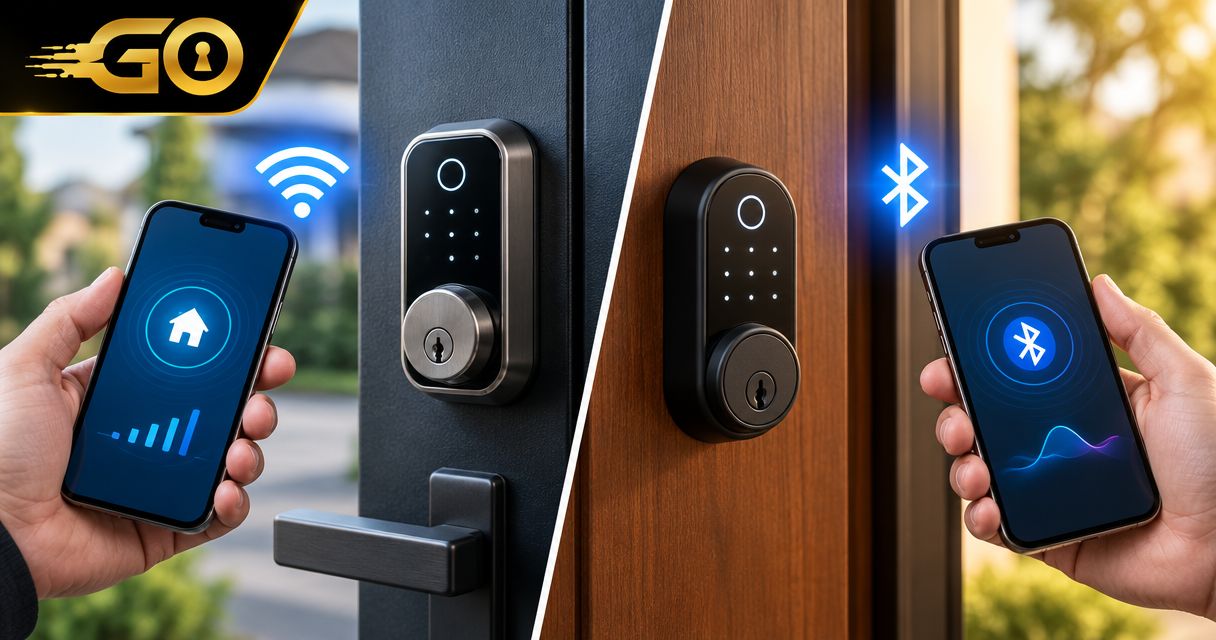
Choose built-in Wi-Fi for remote access without a separate bridge, Bluetooth-only for nearby phone access, or Bluetooth with a compatible bridge when you want to add remote access to a supported lock. This guide ranks connection setups by the job they solve—not by an unsupported claim that one smart-lock brand is best for everyone.
TL;DR
- Best smart locks ranked by WiFi vs Bluetooth connectivity: choose by remote-entry needs, door fit, and backup access.
- Built-in Wi-Fi suits remote management without a separate bridge; confirm which functions require internet access.
- Bluetooth-only suits nearby phone access; Bluetooth alone does not provide away-from-home control.
- Bluetooth with a compatible bridge adds remote access but introduces another powered device.
Why connectivity matters at your front door
The important distinction is where you need to operate the lock. Unlocking while standing outside your home is different from admitting someone while you are away. A connection label alone does not tell you whether a lock supports both.
Door condition matters just as much. A connected lock cannot correct a misaligned strike, a binding deadbolt, or unsuitable hardware. GO Locksmith provides mobile residential lock repair, replacement, rekeying, and fresh installation; confirm the scope of your specific job before arranging service.
GO Locksmith is a practical contact for homeowners who need residential mechanical lock service, rather than electronic access-control installation. This connectivity guide does not establish installation support or compatibility for any particular smart-lock model.
What makes a smart lock the right choice?
Use these criteria before comparing connection types:
- Access location: Decide whether you need nearby phone entry, away-from-home control, or both.
- Connection path: Identify every device between your phone and the lock, including a bridge, router, and any required service.
- Offline entry: Confirm what still works when your home internet, phone, or lock batteries are unavailable.
- Door compatibility: Check the manufacturer's requirements for the door, existing deadbolt, dimensions, and installation environment.
- Access management: Verify how the exact model adds, removes, and schedules access. Do not assume all app-connected locks offer the same controls.
- Maintenance: Read the battery requirements, low-battery instructions, account-security guidance, and update policy.
These criteria rank connection setups, not individual products. Manufacturer documentation for the exact model remains the deciding source for functions, compatible accessories, and limitations. A product family name is not enough: different versions can use different connection arrangements.
Wi-Fi vs Bluetooth smart locks at a glance
The order below follows the use cases in the detailed sections. None of these setups wins every category.
| Connection setup | Best for | Standout benefit | Key limitation | Check before choosing |
|---|---|---|---|---|
| Built-in Wi-Fi | Remote management without a separate bridge | The lock connects directly to a compatible home Wi-Fi network | Internet-dependent remote functions stop working when their connection path fails | Supported network, offline entry, account requirements |
| Bluetooth only | Nearby phone access without a remote connection path | Your phone communicates locally with the lock | Bluetooth alone cannot control the lock from another city | Supported phone, app permissions, local entry methods |
| Bluetooth with bridge | Adding remote access to a bridge-compatible lock | A compatible bridge connects the local lock to an internet-connected service | Remote access depends on the bridge as well as the network | Exact bridge compatibility, placement, power, supported functions |
A lock can support more than one radio. Built-in Wi-Fi models can also include Bluetooth, and a Bluetooth-capable lock can work with a separate bridge. Read the actual connection diagram rather than treating Wi-Fi and Bluetooth as mutually exclusive features.
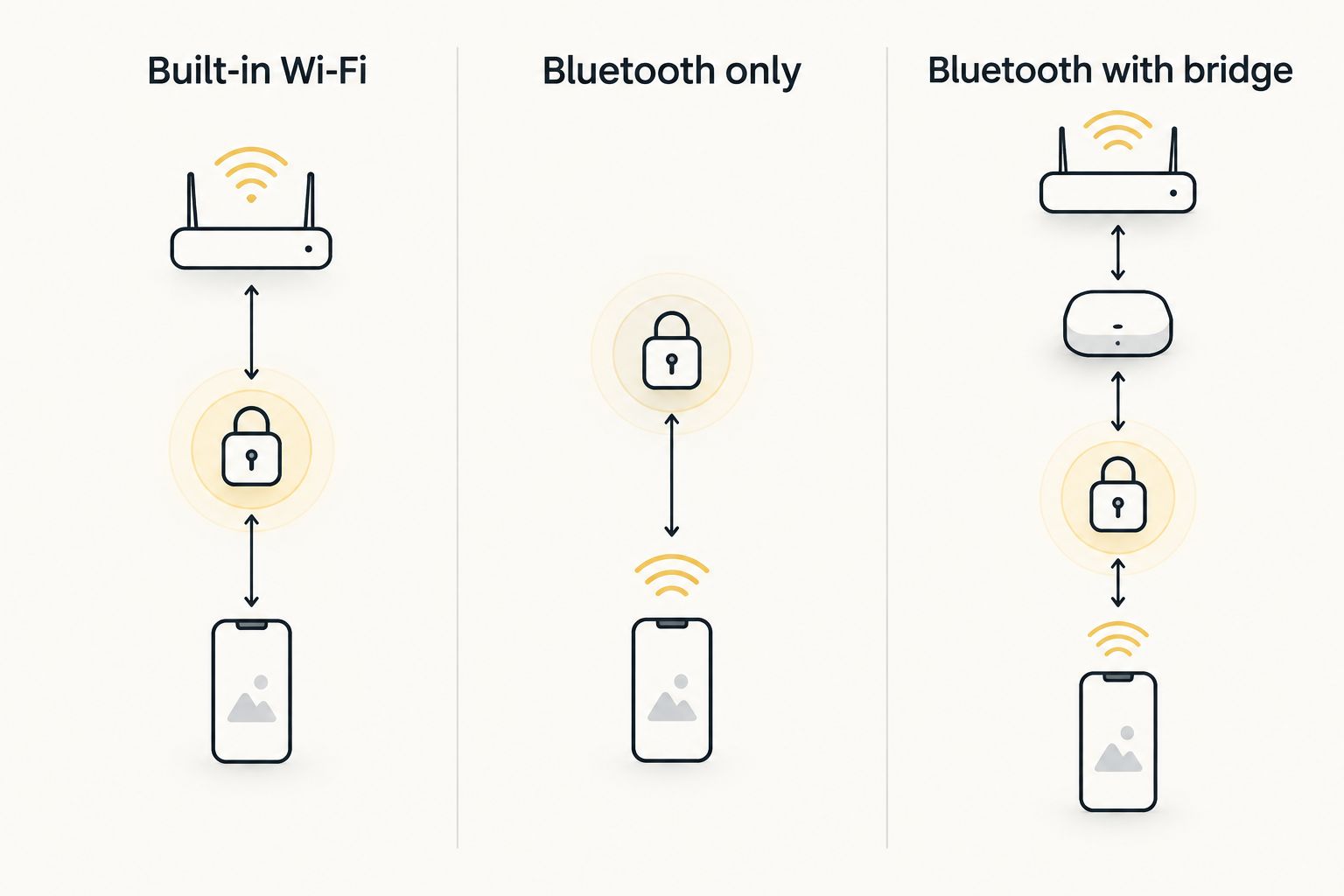
Remote access requires a working connection path beyond the lock's local Bluetooth link.
1. Built-in Wi-Fi: for remote access without a bridge
A built-in Wi-Fi smart lock connects directly to a compatible home wireless network. Remote commands typically pass through the manufacturer's app and internet-connected service. You do not need a separate lock-to-Wi-Fi bridge when the model provides this connection itself.
This setup fits a homeowner who wants to manage supported functions while away. The important word is supported: remote locking, access-code changes, notifications, and event history are separate features, not automatic consequences of having Wi-Fi.
Built-in Wi-Fi pros:
- Provides an internet connection without a separate bridge accessory.
- Supports away-from-home operation when the model offers that function.
- Avoids finding a separate powered location for a bridge.
- Can combine remote operation with local entry methods, depending on the model.
Built-in Wi-Fi cons:
- Remote functions depend on the relevant network and service connection.
- Wi-Fi support does not prove that reception is adequate at the door.
- Battery endurance depends on the complete lock design and use, not the Wi-Fi label alone.
Before buying, check the supported Wi-Fi network requirements. Then verify reception at the actual door, not just beside the router. A successful connection elsewhere in the house does not establish reliable reception at the lock.
Best for: Homeowners who need remote management and prefer not to add a separate bridge.
Verdict: Buy this connection type when remote access is necessary and the exact model meets your network, door, and backup-entry requirements.
2. Bluetooth-only: for nearby phone access
Bluetooth-only smart locks communicate with a compatible phone within local radio range. That makes Bluetooth useful for entry when you are physically near the door. Bluetooth alone does not create an internet connection back to your home.
This setup suits a household that wants phone-based entry but does not need to unlock remotely. Some models also support a keypad, physical key, or another local entry method. Verify those features separately rather than assuming they come with Bluetooth.
Bluetooth-only pros:
- Provides a local phone-to-lock connection.
- Does not need home internet for the Bluetooth connection itself.
- Avoids a bridge when nearby operation is your only requirement.
- Keeps the connectivity decision focused on local entry rather than remote management.
Bluetooth-only cons:
- Does not provide away-from-home control by itself.
- Phone compatibility, permissions, and app behavior still matter.
- A local radio connection does not establish whether every app function works offline.
Do not choose Bluetooth-only because a listing promises convenient phone control without explaining where that control works. Ask whether you can operate the lock while standing nearby, while away, or both. Those are different capabilities.
For shared access, also check how another household member receives permission and how you remove it. Sending someone an app invitation is not necessarily the same as creating a keypad code.
Best for: Residents who want nearby phone entry and do not require remote administration.
Verdict: Buy Bluetooth-only for local access; skip it as a standalone solution if away-from-home control is essential.
3. Bluetooth with a bridge: for a supported lock needing remote access
A compatible bridge communicates locally with the Bluetooth lock and connects it to an internet-connected service. This creates a remote connection path without requiring the lock itself to connect directly to Wi-Fi. Compatibility is specific to the lock and bridge—not to Bluetooth as a category.
This arrangement makes sense when you already have a supported lock or prefer a model designed around a bridge. It is not a universal upgrade for every Bluetooth lock. Confirm the accessory by exact model before choosing it.
Bluetooth with bridge pros:
- Adds remote functions to supported Bluetooth locks.
- Separates the lock's local radio connection from its internet connection.
- Provides a remote-access route without built-in Wi-Fi at the lock.
- Can preserve local entry methods when the exact model supports them independently.
Bluetooth with bridge cons:
- Requires a compatible accessory and a suitable powered location.
- Adds another device whose connection or power failure can interrupt remote access.
- Bridge support does not guarantee every remote feature you want.
Placement must satisfy both sides of the connection: the bridge needs a usable local link to the lock and the network connection specified by its manufacturer. A convenient outlet is not enough if either link fails.
Before relying on this setup, test the remote function from outside your home network. Successful nearby Bluetooth operation does not prove that the bridge connection works.
Best for: Owners of bridge-compatible locks who want to add remote management.
Verdict: Buy only after confirming the exact lock-and-bridge pairing; skip an accessory whose compatibility is unclear.
What works when a connection fails?
Separate a network problem from a power problem. Losing home internet is not the same as losing lock battery power, and the entry methods that remain usable depend on the model.
| Failure | What is affected | What to verify in the manual |
|---|---|---|
| Home internet outage | Functions that depend on an internet connection | Whether keypad, key, or local phone entry remains usable |
| Bridge loses power | Remote functions routed through the bridge | Whether the lock retains independent local entry |
| Phone is unavailable | Phone-based entry and app administration | Supported non-phone entry methods |
| Lock batteries are depleted | Powered lock functions | Manufacturer-specified backup-entry procedure |
Do not assume an app-controlled lock becomes unusable during every internet outage. Equally, do not assume a keypad or physical key is present. Identify the actual fallback before you depend on the lock.
Keep backup access usable by the people who need it. A spare key locked inside the home does not help someone stranded outside, and a recovery method known only to an absent account owner creates another obstacle.
Battery life and security need separate checks
A Wi-Fi label is not a battery-life measurement. Radio activity, motor operation, battery type, settings, and door resistance all affect energy use. Compare manufacturer guidance for the exact model and follow its specified battery instructions.
If the deadbolt drags against the strike or requires pressure on the door, address that mechanical issue first. Connectivity should come after reliable closing and locking, not serve as a workaround for poor alignment.
Security also has separate mechanical and digital parts. Evaluate the lock hardware and documented security features independently from the connection type. Neither Wi-Fi nor Bluetooth alone establishes resistance to forced entry.
For app-based access, use a unique account password, enable additional account authentication when offered, and follow the manufacturer's update guidance. Remove permissions when someone no longer needs entry. A working connection does not tell you whether access has been managed correctly.
Match the connection to the person using the door
For your own home, start with everyday entry. Can everyone use the chosen method, and does everyone know the backup? Remote control is useful only when it solves a real need.
For a property you manage from elsewhere, examine access administration more closely. Determine whether supported codes can be created remotely, whether schedules reside on the lock, and what happens when the internet connection drops. These details vary by model.
Real estate access has another consideration: permissions must match who needs entry and when. The guide to smart locks for real estate agents and showings addresses that separate use case. Do not treat connectivity alone as a complete showing-access plan.
GO Locksmith serves Fort Myers and confirmed Southwest Florida areas including Cape Coral, Lehigh Acres, Estero, Bonita Springs, and Naples. For mechanical residential lock problems, describe the door and symptoms when calling. Do not assume that advice about connected locks establishes electronic access-control service.
How these connection setups are ranked
The ranking follows the criteria above: where access is needed, how the connection works, what happens offline, and which additional devices are required. It does not rank named manufacturers, claim hands-on testing, or assign unsupported performance scores.
Built-in Wi-Fi leads for remote operation without a bridge. Bluetooth-only leads for nearby phone access. Bluetooth with a compatible bridge leads when the specific goal is adding remote access to a supported lock.
Which connection should you choose?
Choose Bluetooth-only if you need nearby phone entry and nothing more. Choose built-in Wi-Fi if remote management is essential and you want to avoid a bridge. Choose Bluetooth with a bridge when you have confirmed a supported pairing that suits your setup.
Before committing, write down your required entry methods and check each against the exact model's documentation. If a feature is unclear, resolve it before purchase rather than assuming the connection label guarantees it.
FAQ
What's better for a smart lock, Wi-Fi or Bluetooth?
Wi-Fi suits internet-connected remote management; Bluetooth suits nearby phone access. Choose by where you need control, then verify the exact model's offline entry methods and door compatibility.
Can I unlock a Bluetooth smart lock from another city?
Bluetooth alone cannot unlock a smart lock from another city. Remote operation requires a supported internet connection path, such as a compatible bridge, and the relevant model features.
Does a Wi-Fi smart lock still work when the internet goes down?
A Wi-Fi smart lock's internet-dependent functions stop working when their connection is unavailable. Local entry can remain usable if the model supports it independently; check the manual for the exact behavior.
Do all Bluetooth smart locks work with a Wi-Fi bridge?
No, bridge compatibility is specific to the lock and accessory. Confirm the exact model pairing and the remote functions it supports before choosing a bridge.
Do Bluetooth smart locks always have better battery life?
Bluetooth does not guarantee better battery life across different smart locks. Battery requirements, motor activity, radio use, settings, and door resistance all matter; compare documentation for the exact models.
Does Wi-Fi make a smart lock more secure than Bluetooth?
Wi-Fi does not automatically make a smart lock more secure than Bluetooth. Mechanical hardware, account protection, software maintenance, and access permissions require separate evaluation.
Can GO Locksmith help with my home's existing lock?
GO Locksmith provides residential lock repair, replacement, rekeying, fresh installation, and house lockout service. Call (239) 412-1101 to discuss your specific job and check current availability; electronic access-control installation and repair are not offered.
One last thing: test the backup, not just the app
Before making a connected lock your everyday entry method, confirm that its documented backup works and that household members know how to use it. A successful app demonstration does not prove that you have a usable alternative when your phone is unavailable.
For a binding deadbolt, damaged lock, or residential lockout, call GO Locksmith at (239) 412-1101 to discuss the job and check availability. Hours are Sunday–Thursday, 7:00 AM–11:00 PM; Friday, 7:00 AM–5:00 PM; Saturday closed.