Blog ·
Best smart locks ranked by price 2026
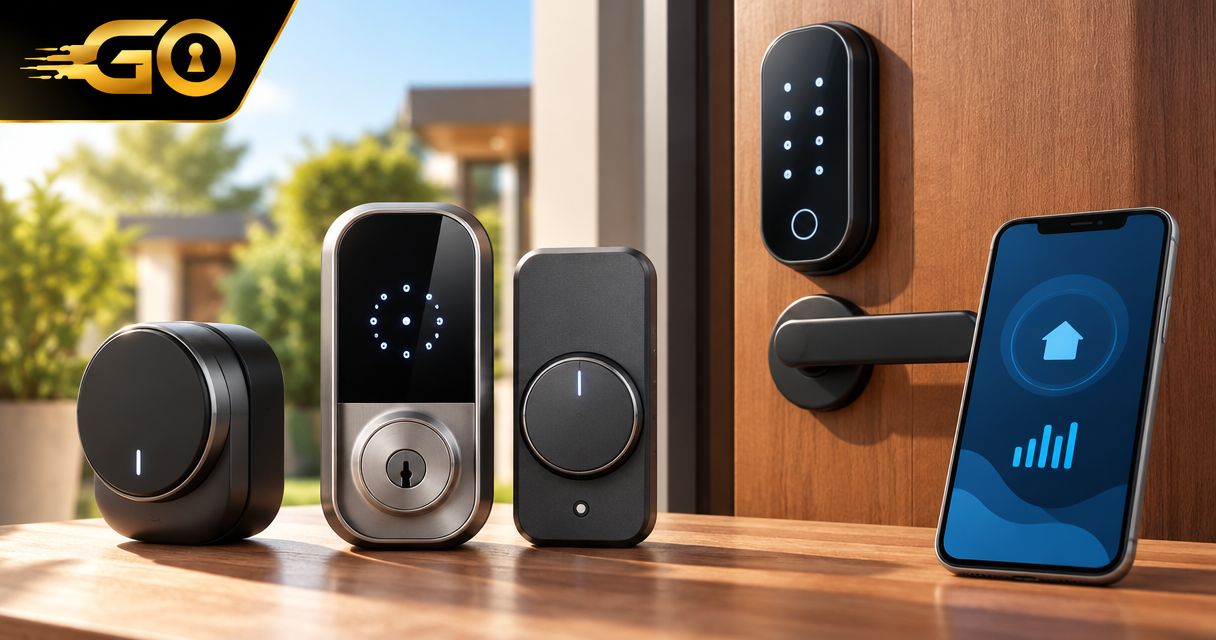
Best starting point: a Bluetooth keypad smart deadbolt for everyday home entry. Best for retaining compatible exterior hardware: a retrofit smart lock. Best for managing entry away from home: a Wi-Fi smart deadbolt. For best smart locks ranked by price, compare current quotes for configurations that meet the same needs—not a basic lock against a package with extra accessories.
TL;DR
- For best smart locks ranked by price, compare complete packages, installation requirements, and backup entry—not purchase price alone.
- Bluetooth keypad smart deadbolts suit homeowners who need codes and nearby phone control rather than remote access.
- Retrofit smart locks suit compatible doors where retaining the existing exterior hardware matters.
- GO Locksmith provides mobile lock repair, replacement, and rekeying in confirmed Southwest Florida service areas.
Why the lowest purchase price is not the whole answer
A smart lock purchase includes more than the device. Your door's condition, the accessories needed for your chosen features, and the installation work all affect the decision. A lock that fits your door and handles your actual entry routine is a better starting point than one chosen for its longest feature list.
GO Locksmith is a mobile locksmith service for homeowners who need lock repair, replacement, or rekeying in Southwest Florida. Those confirmed services are separate from any particular smart-lock model's installation, programming, or compatibility requirements.
Rank complete, comparable quotes—not advertised lock prices alone. The order below ranks buying priorities for different households; it does not claim that one configuration always costs less than another.
What makes a smart lock good value?
Use these criteria before comparing your shortlisted locks:
- Door fit: Check the manufacturer's requirements for door thickness, existing holes, backset, and supported hardware.
- Entry method: Choose between codes, nearby phone operation, remote control, and other explicitly documented features.
- Complete package: Identify any separately required keypad, bridge, hub, or other accessory before comparing quotes.
- Backup entry: Read the exact model's instructions for depleted batteries, a lost phone, and interrupted connectivity.
- Account control: Confirm how an owner adds users, removes access, and transfers ownership.
- Maintenance: Check battery requirements, exterior exposure limits, and instructions for keeping the mechanism operating correctly.
A feature only earns its place if you will use it. Remote entry has a clear purpose when you need to manage access away from home; it adds little to a household that only wants to stop carrying keys.
Smart-lock configurations at a glance
These are configurations to compare, not claims about particular products. Features vary by model, so the manufacturer's documentation must match the exact item you plan to buy.
| Rank | Configuration | Best for | Standout purpose | Key limitation |
|---|---|---|---|---|
| 1 | Bluetooth keypad smart deadbolt | Everyday codes and nearby phone operation | Combines keypad entry with local phone control | Bluetooth alone does not provide away-from-home control |
| 2 | Retrofit smart lock | Retaining compatible exterior hardware | Changes the interior operating hardware while retaining supported existing components | Compatibility depends on the existing lock and door |
| 3 | Wi-Fi smart deadbolt | Managing entry while away | Uses a supported internet connection for remote features | Remote functions depend on connectivity and the product's service |
| 4 | Hub-connected smart deadbolt | An existing compatible smart-home setup | Connects through a supported hub or controller | Requires an exact match between the lock and the supported system |
1. Bluetooth keypad smart deadbolt: for everyday home entry
A Bluetooth keypad smart deadbolt combines a keypad with nearby phone communication. It suits a household that wants code-based entry without making remote access the main reason for buying.
The distinction matters: Bluetooth communication is local. If a product also offers remote operation through a separate bridge or another connection, include that requirement when comparing the complete package.
Bluetooth keypad smart deadbolt pros:
- Provides an entry method that does not require carrying a phone to the door.
- Supports nearby phone operation where the exact model documents it.
- Keeps the buying decision focused on everyday entry rather than remote automation.
Bluetooth keypad smart deadbolt cons:
- Bluetooth alone cannot control the lock while you are away from home.
- Code schedules, user limits, and backup methods differ between models.
- Replacement hardware must fit the existing door preparation.
Best for: Homeowners who want personal entry codes and local phone control, with no confirmed need for remote operation.
Before buying, decide who needs a code and how you will remove that person's access later. Check whether those tasks happen at the keypad, in an app, or through another documented process. Do not assume that every keypad offers the same account controls.
Verdict: Buy this configuration when local entry meets your needs; skip extra remote accessories unless you have a specific use for them.
2. Retrofit smart lock: for keeping compatible exterior hardware
A retrofit smart lock changes the interior operating hardware while retaining compatible existing exterior components. It is worth considering when you want smart operation without replacing the entire visible exterior lock assembly.
Compatibility is the deciding factor. Identify the existing lock type and check the retrofit manufacturer's supported hardware before ordering; a familiar-looking thumbturn does not establish fit.
Retrofit smart lock pros:
- Retains supported exterior hardware rather than requiring a complete exterior change.
- Can preserve the existing mechanical key arrangement when the product supports that setup.
- Offers a focused option when the current lock is sound and compatible.
Retrofit smart lock cons:
- Does not resolve worn or defective hardware that remains in place.
- Keypad entry is not included in every retrofit configuration.
- Existing hardware and interior clearance restrict your choices.
Best for: Homeowners who have compatible, properly operating hardware and want to retain the exterior lock arrangement.
Keeping the cylinder also makes key control important. If you do not know who has copies of the current key, address that separately; adding smart operation does not invalidate an existing mechanical key. The guide to rekeying or replacing locks explains the underlying decision.
Verdict: Buy only after confirming compatibility and the condition of the retained lock; hold if either remains uncertain.
3. Wi-Fi smart deadbolt: for managing entry away from home
A Wi-Fi smart deadbolt uses a supported internet connection for its remote functions. Choose this configuration when you have a real need to manage entry without standing near the door.
Remote locking, notifications, and code management are separate features. Verify each one in the exact model's documentation instead of treating the Wi-Fi label as proof that every remote task is supported.
Wi-Fi smart deadbolt pros:
- Supports away-from-home functions when the model and connection provide them.
- Gives remote entry management a direct role in your buying decision.
- Offers a configuration to consider when nearby phone control is insufficient.
Wi-Fi smart deadbolt cons:
- Remote functions depend on the required connection and supporting service.
- App access introduces account-management responsibilities.
- You must verify which entry methods remain usable without internet access.
Best for: Homeowners who need documented remote entry functions, rather than simply wanting a keypad at the door.
Think through an interrupted connection before buying. Read what the manufacturer says about local codes, mechanical keys, and other entry methods under those conditions. Remote access and local entry are different questions; understanding both prevents a feature label from becoming your entire purchase decision.
Verdict: Buy when a documented remote function solves a regular need; skip when local entry is enough.
4. Hub-connected smart deadbolt: for an existing compatible setup
A hub-connected smart deadbolt communicates through a supported hub or controller. This configuration belongs on your shortlist when you already use a compatible system and want the lock to work within it.
Match the exact lock version, connection requirements, and supported features. A shared brand name or a general smart-home compatibility statement is not enough to establish that your intended setup works.
Hub-connected smart deadbolt pros:
- Fits a purchasing decision centered on an existing supported controller.
- Supports documented integration without choosing a separate system blindly.
- Lets you evaluate the lock alongside the equipment you already use.
Hub-connected smart deadbolt cons:
- A required hub or controller adds another dependency.
- Compatibility does not establish support for every desired feature.
- Replacing a controller later requires another compatibility check.
Best for: Homeowners who already have a supported controller and can identify a specific integration they need.
Avoid buying a hub-connected lock merely because integration sounds useful. Write down the action you want, then verify that the exact combination supports it. If you cannot name a necessary action, start with a simpler entry configuration instead.
Verdict: Buy for a verified existing setup; hold if the required controller or feature support is unclear.
How to compare quotes without mixing unlike options
A useful price comparison starts with one shared brief. Send the same requirements to each seller or installer so you can distinguish differences in scope from differences in cost.
- Door fit: Record the existing hardware and the manufacturer's required measurements. Note rubbing, sticking, or a bolt that needs pressure to turn.
- Entry needs: List required functions separately from optional ones. Be specific about keypad use, local phone control, and remote access.
- Included parts: Ask which accessories are included and which are required separately for your selected features.
- Installation scope: Clarify whether the quote covers hardware fitting, any necessary door work, and the tasks the provider has explicitly agreed to perform.
- Ongoing requirements: Read the manufacturer's information about batteries, accounts, connectivity, and any terms attached to the features you need.
Keep the written answers alongside the quotes. That gives you a comparison you can revisit without relying on a product name or a remembered conversation.
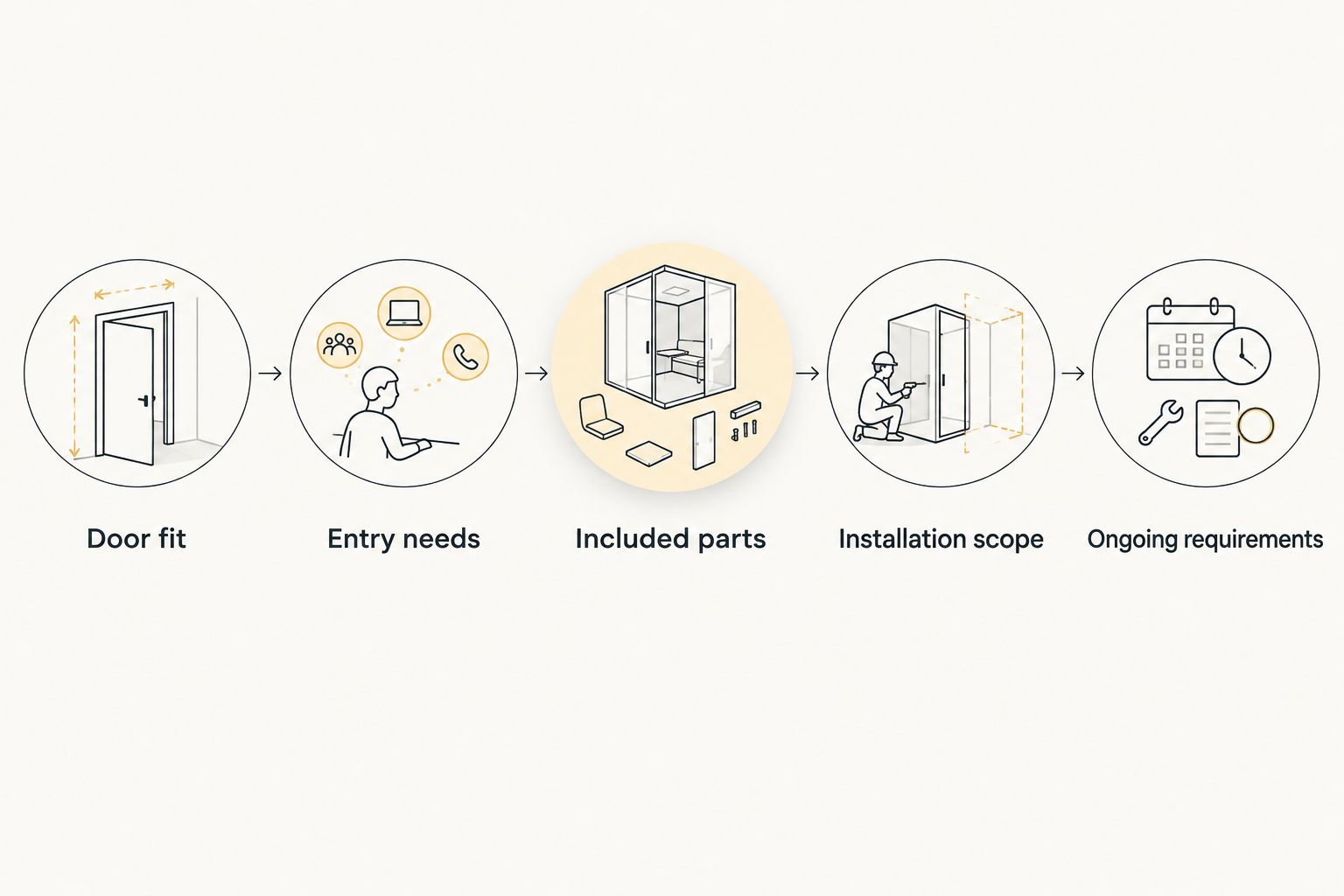
Use the same requirements for every quote so differences in scope remain visible.
An apparent saving is not useful if the quote leaves out something essential to your chosen setup. Conversely, an accessory is not essential simply because it appears in a suggested bundle. Tie every included item to a requirement you have actually identified.
Check the door before adding electronics
A smart lock still operates a physical locking mechanism. If the door must be lifted, pushed, or pulled to align the bolt, address that condition before treating a new device as the solution.
Check the manufacturer's exposure requirements as well. For a Southwest Florida home, describe whether the entry is sheltered or directly exposed, then compare that setting with the exact model's installation instructions. Do not infer suitability from a product photograph.
For rentals and condos, confirm your authority to change hardware and any applicable property requirements before purchasing. An attractive feature list does not resolve a permission issue or establish compatibility with existing door hardware.
GO Locksmith's confirmed residential services include lock repair, replacement, rekeying, and fresh installation. Ask about your specific hardware and required work rather than assuming support for a particular smart-lock model or connected system.
How this guide ranks the choices
This guide puts everyday local entry first, retaining compatible hardware second, remote management third, and an existing supported hub setup fourth. Each configuration serves a different buyer rather than competing for an unsupported universal winner.
The ranking uses door fit, required entry methods, complete-package scope, backup entry, account control, and maintenance. Use current comparable quotes to make the final price ranking for your door.
Which smart-lock configuration should you choose?
Start with a Bluetooth keypad smart deadbolt if your main goal is household codes and nearby phone operation. Choose a retrofit smart lock when retaining compatible exterior hardware is the priority, or a Wi-Fi smart deadbolt when a documented remote function is necessary.
Choose a hub-connected smart deadbolt only when it fits a verified existing setup. If your actual problem is unwanted key copies, consider rekeying first; a smart-lock purchase is not automatically the right answer to a key-control problem.
FAQ
What's the best way to compare smart locks by price?
Compare current quotes for complete configurations that meet the same requirements. Include required accessories and clearly defined installation work, then check backup entry and ongoing requirements before choosing.
Is a Bluetooth smart lock enough for my home?
A Bluetooth smart lock suits nearby phone operation, and a keypad-equipped model also provides code entry. Bluetooth alone does not provide away-from-home control; verify any additional connection needed for remote functions.
Does a retrofit smart lock let me keep my existing key?
A retrofit smart lock can retain an existing mechanical key arrangement when the exact product supports your hardware. Check the manufacturer's compatibility information and address unwanted existing key copies separately.
Will a Wi-Fi smart lock work when the internet is down?
Remote functions depend on the required connection, while local entry behavior depends on the model. Read the manufacturer's instructions for keypad, mechanical-key, and other backup methods before purchasing.
Can I put a smart lock on any exterior door?
No; a smart lock must match the door and hardware requirements specified by its manufacturer. Check measurements, clearance, door operation, and exposure requirements for the exact model.
Can GO Locksmith help with an existing home lock?
GO Locksmith provides confirmed residential lock repair, replacement, rekeying, and fresh installation services. Call with your location and hardware details to discuss the specific work; do not assume compatibility or support for a particular connected lock.
When can I call GO Locksmith about residential lock work?
GO Locksmith's hours are Sunday–Thursday 7:00 AM–11:00 PM and Friday 7:00 AM–5:00 PM; Saturday is closed. Call (239) 412-1101 during those hours to check availability or request a job-specific estimate.
One last thing: a new entry code does not retire an old key
If your chosen smart lock retains a mechanical cylinder, changing an app setting or keypad code does not change that cylinder's keying. Treat digital access and physical key control as separate checks, especially after a move or a change in occupants.
For existing residential lock repair, replacement, or rekeying, call GO Locksmith at (239) 412-1101 during its stated hours to discuss the job and request an estimate. Confirmed Southwest Florida service areas include Fort Myers, Cape Coral, Lehigh Acres, Estero, Bonita Springs, and Naples.