
Blog ·
How to program a replacement key fob to unlock your garage door
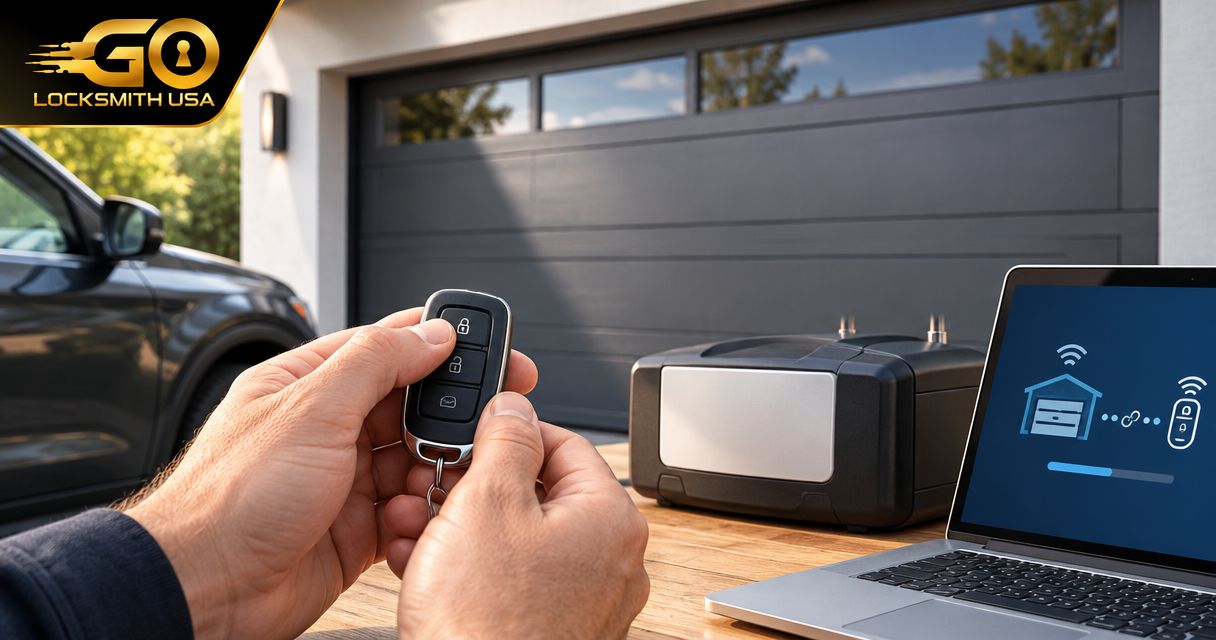
Instead of opening your garage manually, pair a compatible garage-door remote with the opener using the instructions for both devices. To program a key fob to a garage door opener, first confirm that it is a garage remote—not an ordinary car key fob—and identify the opener’s exact model.
TL;DR
- To program key fob to garage door opener systems, confirm the remote’s compatibility before starting.
- An ordinary car key fob is not interchangeable with a garage-door remote.
- Use the opener and remote manuals together; button sequences depend on both devices.
- GO Locksmith handles garage door lockouts; garage-opener remote programming is a separate service to confirm.
Why this matters
A replacement remote that looks like your old one can still use an incompatible signaling system. Repeating the programming sequence will not fix that mismatch, and an unnecessary memory reset can disconnect working remotes.
Also separate the overhead garage door from the locks around it. GO Locksmith is a mobile locksmith service offering garage door lockout assistance, but that does not establish garage-opener installation, repair, or remote-programming services. GO Locksmith is a suitable contact for garage door lockouts, not a confirmed garage-opener programming provider.
This guide covers the checks and pairing workflow for a replacement handheld remote, followed by the different requirements for a vehicle’s built-in garage-door transmitter. The manufacturer’s model-specific instructions determine the actual button sequence.
Before you start
- Identify both devices. Have the opener’s model number, the replacement remote’s model or part number, and their manufacturer instructions. Use the opener’s compatibility information rather than the remote’s appearance alone.
- Arrange safe, authorized access. You need permission to manage the opener, access to its programming controls, a suitable remote battery, and a clear view of the door. If reaching the motor unit requires unsafe climbing, stop and arrange appropriate help.
- Distinguish pairing from erasing. On some openers, briefly pressing the programming button starts pairing, while holding it erases stored devices. Check the exact instructions before touching it, especially if other people depend on existing remotes.
If the opener controls a shared garage, ask the property manager how replacement transmitters are enrolled. Do not reset equipment serving other residents.
Identify the remote and pairing method
Which device are you trying to program?
The phrase “key fob” can describe different devices. A small garage remote on a key ring is not the same thing as the remote that unlocks your car.
| Device | Best for | Useful feature | Limitation |
|---|---|---|---|
| Compatible handheld garage remote | Replacing a handheld garage transmitter | Sends commands directly to a compatible opener or receiver | Must match the supported signaling system and pairing instructions |
| Vehicle’s built-in garage transmitter | Operating the garage from an equipped vehicle | Keeps the garage control inside the vehicle | Requires vehicle-specific setup and opener compatibility |
| Ordinary automotive key fob | Locking, unlocking, or starting its intended vehicle | Controls supported vehicle functions | Is not a substitute for a garage-door transmitter |
Do not follow automotive key-programming instructions to pair a garage remote. Programming a vehicle key to its immobilizer or door locks is a different task from enrolling a transmitter with a garage opener.
Compatibility checks
- Find the opener’s identification label. Record the full model information, not just the manufacturer’s name.
- Find the replacement remote’s identifier. If the packaging lists supported opener models or systems, compare that information with the opener manual.
- Check whether the remote requires its own configuration before enrollment. Some replacement remotes support different systems and require a selection sequence first.
- Identify the pairing method described in the manuals. An opener with a programming button uses a different process from older equipment with matching code switches.
Expected result: You have a documented compatibility match and know which instructions apply. If compatibility remains uncertain, contact the equipment manufacturer before attempting programming.
A shared radio frequency alone is not enough to establish compatibility. The remote and receiver must also support the appropriate signaling protocol.
Prepare the opener’s programming controls
This section applies to an opener whose manual describes a learn-button pairing process. If the manual specifies another method, use that procedure instead; do not substitute these steps.
- Clear the door’s travel path of people, pets, vehicles, and loose objects. Keep anyone helping you away from the moving door.
- Check whether the door operates normally from its existing wall control, following the equipment’s safety instructions. Stop if the door binds, moves unpredictably, or shows an unresolved fault.
- Locate the programming control identified in the manual. If the manufacturer labels the button Learn, confirm its location from the model diagram rather than assuming a nearby button has that function.
- Read the complete pairing sequence before starting. Note the required button action, indicator behavior, and enrollment window.
- Follow the manual’s action to enter pairing mode. Do not hold the button longer or repeat presses unless instructed.
Expected result: The opener displays the pairing indication described in its manual. A light turning on is only meaningful if it matches that model’s documented behavior.
Do not open electrical compartments or adjust travel limits to find a programming control. Those settings serve different purposes and are not a remedy for an unrecognized remote.
Enroll and test the replacement remote
With compatibility confirmed and the opener in its documented pairing mode, complete the remote side of the procedure. Keep both manuals within reach; the remote’s instructions can include steps that the opener’s manual does not.
- Complete any required remote configuration. Use the sequence specified for your opener’s supported system.
- Press the intended remote button exactly as instructed. The required press, hold, or repetition depends on the equipment; there is no universal sequence.
- Watch for the documented enrollment confirmation. Depending on the model, this can involve an indicator or another confirmation described in the manual.
- Allow pairing mode to end as instructed. Then test the remote from a safe position with the entire doorway visible.
- Check the other authorized remotes. Confirm they still operate before considering the replacement complete.
Expected result: The selected remote button operates the intended garage door, and existing authorized controls still work. A flashing remote indicator by itself does not prove the opener accepted the transmitter.
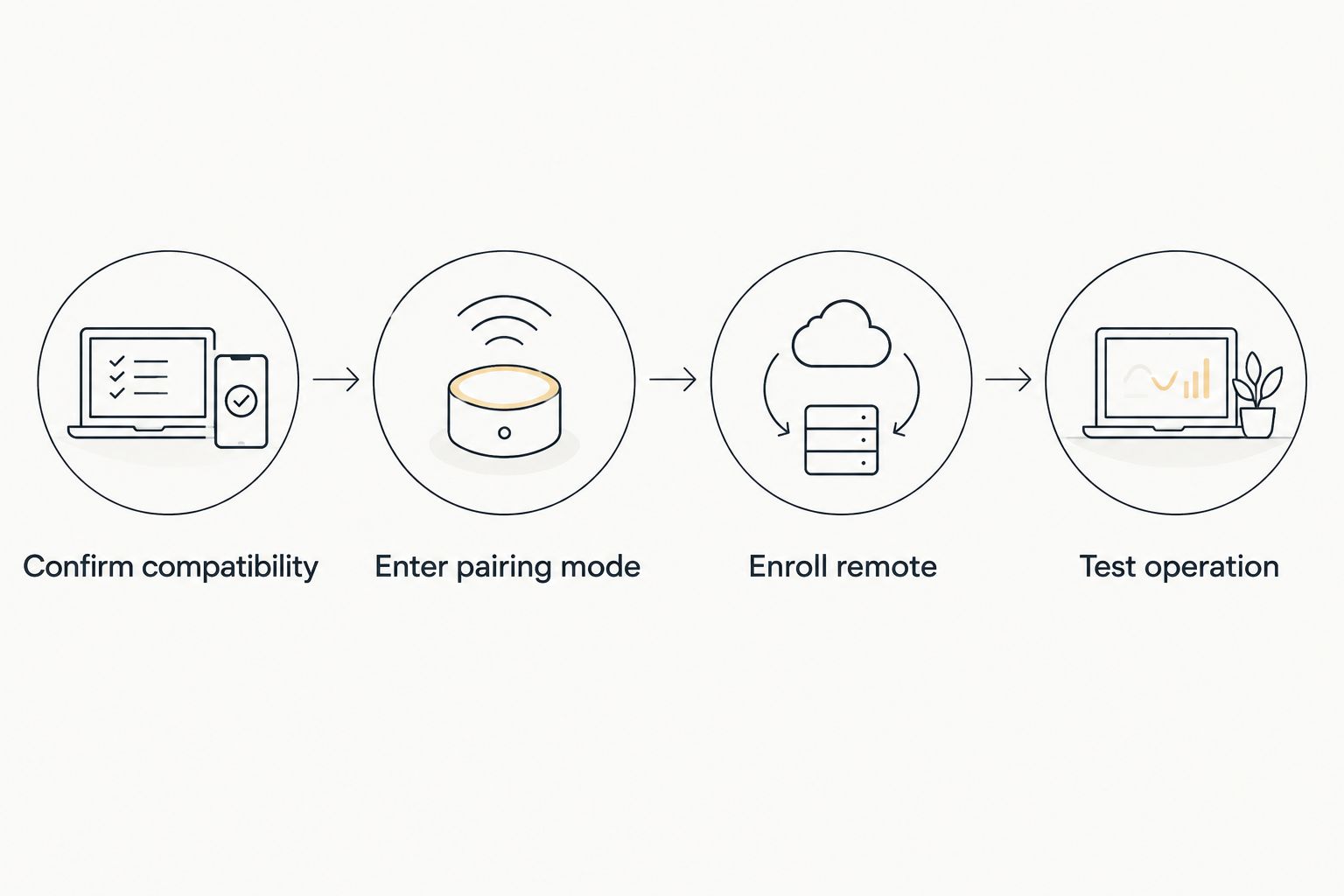
Confirm compatibility before entering the opener’s pairing mode.
If the remote has multiple buttons, program only the button you intend to use for that door. Assigning another button to another opener requires a separate compatibility check and the appropriate enrollment procedure.
Keep the replacement remote’s model information with your household records. That makes a future replacement easier to identify without guessing from a photograph.
Alternative workflow: use the vehicle’s built-in transmitter
A vehicle’s built-in garage transmitter, such as HomeLink on equipped vehicles, follows a different setup path from an ordinary automotive key fob. The transmitter’s generation and the opener’s system determine the procedure.
Best for: Drivers whose vehicles have a compatible built-in garage control. The benefit is an in-vehicle button; the limitation is that compatibility and training requirements still need verification.
- Confirm that the vehicle actually has a garage-door transmitter. Consult the vehicle owner’s manual rather than assuming a programmable button controls the garage.
- Check the transmitter’s compatibility instructions against the opener model. Follow any stated requirements before beginning training.
- Use the vehicle-specific training procedure. Some systems learn from an existing handheld remote; follow the manual for positioning and button actions.
- Complete receiver enrollment if the instructions require it. Training the vehicle button and enrolling it with the opener can be separate stages.
- Test with the doorway visible and the vehicle safely positioned. Keep a working handheld remote until you have verified normal operation.
Expected result: The chosen vehicle button operates the garage door according to the manufacturer’s instructions. Successfully training a button does not always mean the opener has accepted it.
Do not assume this procedure also programs a replacement car key, remote-start fob, or ignition transponder. Those devices communicate with the vehicle, not the garage receiver.
When the old remote is lost or stolen
Adding a replacement remote and removing a missing remote are different security tasks. Pairing a new transmitter does not, by itself, establish that the missing transmitter has lost access.
Read the opener manual’s instructions for deleting transmitters. Depending on the equipment, removing a missing device can require erasing the receiver’s stored remotes and enrolling the authorized devices again.
Before an erase procedure:
- Gather the authorized handheld remotes and identify any vehicle transmitters or keypads that depend on the receiver.
- Tell affected household members that their controls might need enrollment again.
- Confirm another authorized way into the property so you do not create a lockout.
- Follow the manual’s deletion and re-enrollment process, rather than assuming an add-remote sequence removes old access.
For a shared garage, report the missing transmitter to the property manager. The person managing the receiver should decide how access is revoked without disrupting other users.
Troubleshooting: match the symptom to the next check
The remote lights up, but the door does not move
A remote indicator shows activity at the remote; it does not prove compatibility or successful enrollment. Recheck the model match, required battery type, and the exact pairing sequence.
If the wall control works normally but the replacement remote does not, focus on the remote, pairing procedure, and receiver settings. Avoid changing door travel settings to solve a radio-control problem.
Pairing mode ends before enrollment finishes
Read the entire sequence before restarting, and keep the remote ready before activating the opener’s pairing control. Repeat the procedure from its documented starting point rather than pressing buttons after the enrollment window closes.
Use only the timing given for the exact equipment. A sequence from a similar-looking opener can be wrong.
Every handheld remote stops working
Check whether the wall console has a remote-lockout function and consult its manual for the correct setting. Also check whether the opener’s stored transmitters were erased during the attempted setup.
If memory was erased, follow the manual to enroll authorized devices again. Do not perform another reset simply because the first attempt did not work.
The door starts closing, then reverses
A reversal during closing is not proof of failed remote pairing. Check the doorway for obstructions and follow the manual’s troubleshooting instructions for the safety sensors.
Do not bypass sensors or continue operating a door with an unresolved movement fault. Contact an appropriate garage-door service provider for mechanical or opener problems.
The vehicle button trains, but the opener ignores it
Recheck whether receiver enrollment is still required after vehicle-button training. Also verify compatibility between the built-in transmitter and the opener.
If the manuals identify an additional compatibility requirement, resolve that requirement before repeating training. More attempts cannot correct unsupported equipment.
Customize your workflow around household access
Once the replacement works, decide who needs a transmitter and which controls should remain active. Test each authorized control separately so a working wall button does not hide a problem with a household member’s remote.
Keep garage-opener access separate from the locks on the pedestrian garage door and the door into the house. A working remote does not resolve a lost house key, and rekeying a door lock does not remove a missing garage transmitter from receiver memory.
For a garage door lockout or a separate house-lock problem, call GO Locksmith at (239) 412-1101 to discuss the situation. Describe whether you mean the overhead door, its remote, or a keyed door so the service request is clear.
FAQ
Can I program my car key fob to open my garage door?
An ordinary automotive key fob is not a replacement garage-door transmitter. A vehicle’s separate built-in garage control can operate a compatible opener when configured using the vehicle and opener instructions.
How do I know whether a replacement garage remote is compatible?
Compare the opener’s exact model with the remote manufacturer’s compatibility information. Matching appearance or radio frequency alone does not establish that both devices support the same signaling system.
Can I program a replacement garage remote without the original?
Some compatible remotes can be enrolled directly through the opener’s programming controls without the original remote. Check the instructions for both models, because other training methods can require an existing transmitter.
Should I hold the Learn button until it flashes?
Only hold the Learn button if the exact opener instructions require it. On some models, holding the button erases stored transmitters instead of starting ordinary pairing.
Will programming a replacement remote disable my lost remote?
Do not assume that adding a replacement disables the lost remote. Follow the receiver’s documented deletion process, which can require erasing stored devices and enrolling authorized controls again.
Why does my garage remote work but my vehicle button does not?
The vehicle transmitter can require separate training and receiver enrollment. Check the vehicle manual and opener compatibility information before repeating the procedure.
Does GO Locksmith program garage-door remotes?
Garage-opener remote programming is not a confirmed GO Locksmith service. Garage door lockout assistance is confirmed; call (239) 412-1101 to explain the access problem and confirm the appropriate service.
One last thing
Check what you removed, not just what you added. After replacing a missing remote, successful operation of the new one says nothing about whether the old one still has access. Complete the manufacturer’s access-removal procedure as a separate task.