
Blog ·
How to program a replacement key fob to open your trunk remotely
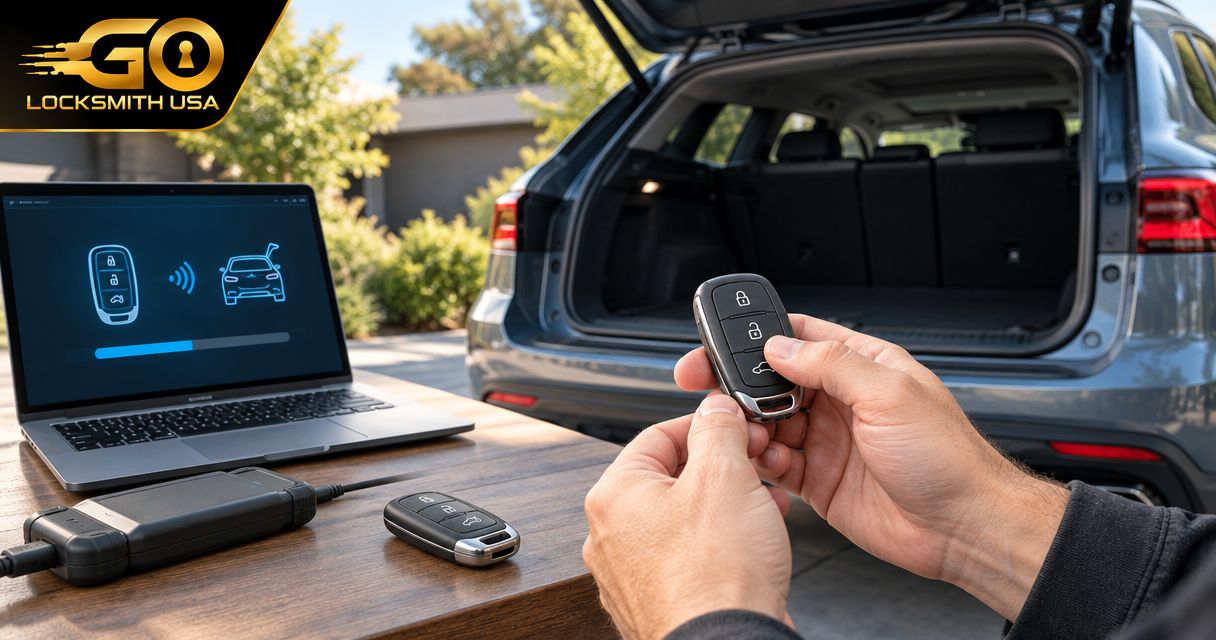
Instead of using a mechanical key every time you need the trunk, enroll a compatible replacement fob using your vehicle’s approved procedure, then test the remote release. There is no universal programming sequence: the correct method depends on the vehicle’s year, make, model, equipment, and key system.
TL;DR
- To program key fob to open trunk remotely, confirm vehicle support and replacement-fob compatibility before enrollment.
- GO Locksmith offers car key programming; call to confirm support for your specific vehicle and replacement fob.
- Remote trunk release and engine-start authorization are separate functions; test each independently.
- If door buttons work but the trunk does not, check operating instructions and trunk settings before repeating programming.
Why trunk-button programming is not a separate upgrade
Programming a replacement fob does not add remote trunk release to a vehicle that lacks the required equipment. The vehicle must support that function, and the replacement remote must match the vehicle’s keyless-entry system.
A trunk symbol on a replacement shell proves neither compatibility nor successful enrollment. Likewise, a key that starts the engine does not prove that its remote buttons are registered or working.
GO Locksmith provides mobile car key programming and replacement-key services. Confirm your vehicle and fob details before requesting service rather than assuming that every remote can be programmed.
This guide covers how to identify the right enrollment route, follow the correct vehicle instructions, and separate a programming problem from a trunk-release fault. It does not substitute a generic ignition-cycling sequence for your vehicle’s documented procedure.
Before you start
- Gather vehicle and fob details. Have the year, make, model, relevant equipment information, and replacement remote’s identifying markings. Use the owner’s manual for operating instructions and vehicle-specific parts information for compatibility.
- Keep access and authorization ready. Have proof of ownership or authorization, all existing keys and remotes, and any working key required by the documented enrollment procedure. Keep a working means of entry outside the vehicle while testing.
- Check the enrollment requirements first. Some vehicles permit owner enrollment; others require appropriate programming equipment. Certain procedures require existing registered keys or affect previously enrolled remotes, so read the complete instructions before starting.
The easily missed gotcha is confusing remote enrollment with immobilizer registration. A replacement can require different work for its buttons and its engine-start authorization. Do not assume that completing one task completes both.
Vehicle and replacement-fob checks
Confirm compatibility
- Identify the vehicle precisely. Include the model year, trim or relevant equipment, and whether it uses a conventional ignition key or a push-button start system.
- Check that remote trunk release is a supported function. Look in the owner’s manual for the remote-control and luggage-compartment operating instructions.
- Compare the replacement’s identifiers against the correct replacement specification. A matching case shape or button layout is not enough; remote electronics and vehicle applications differ.
- Verify the battery type and installation against the remote’s instructions. Inspect for obvious corrosion, damaged contacts, or a stuck button without modifying the circuit board.
- Confirm whether a previously used remote can be enrolled to your particular system before proceeding. Reusability depends on the remote and vehicle system.
Expected result: You have a replacement identified as suitable for the vehicle, not merely a remote that looks similar.
If the remote came with a broad compatibility claim but no usable identifying information, resolve that uncertainty before programming. Repeating an enrollment sequence cannot correct incompatible electronics.
Choose enrollment
Use the vehicle’s documented procedure to choose between owner enrollment and professional programming. Neither route is universally appropriate.
| Enrollment route | Best for | Advantage | Limitation |
|---|---|---|---|
| Documented owner enrollment | Vehicles with an explicit owner-accessible procedure and all required working keys | Lets you follow the manufacturer’s supported process yourself | Does not apply when the vehicle lacks owner enrollment or prerequisites are missing |
| Professional programming | Vehicles requiring programming equipment, or cases where enrollment requirements are unclear | Allows vehicle-specific compatibility and programming requirements to be assessed | Support depends on the exact vehicle, key system, and replacement remote |
Choose documented owner enrollment only when the instructions explicitly cover your vehicle and situation. A video showing the same badge or a similar dashboard is not sufficient evidence.
GO Locksmith is a mobile locksmith option for Southwest Florida drivers seeking car key programming, with vehicle and fob support confirmed before service. It is not a promise that a customer-supplied remote is compatible or reusable.
Vehicle-specific enrollment
Follow instructions
- Locate the approved procedure for your exact vehicle. Start with the owner’s manual; if it does not provide owner enrollment, confirm the appropriate service route rather than borrowing another model’s instructions.
- Read the prerequisites and completion conditions before touching the ignition or remote buttons. Identify whether all existing remotes must be present and whether the procedure adds a remote or replaces the registered set.
- Prepare the vehicle exactly as directed. Follow its instructions for ignition state, door position, existing keys, and vehicle power. Do not improvise a battery-support arrangement.
- Perform only the documented sequence. Use the stated buttons, order, and timing; there is no safe universal instruction to cycle the ignition or hold several buttons together.
- Watch for the specified confirmation. Depending on the vehicle, confirmation can involve a vehicle response or programming-tool message. A flashing light on the fob alone does not establish that the vehicle accepted it.
- Finish the documented exit procedure before testing normal operation. If enrollment fails, stop and review the prerequisites instead of repeatedly trying unrelated sequences.
Expected result: The vehicle reports enrollment completion in the way its own instructions specify. You are ready to test actual functions, not assume success from a button press.
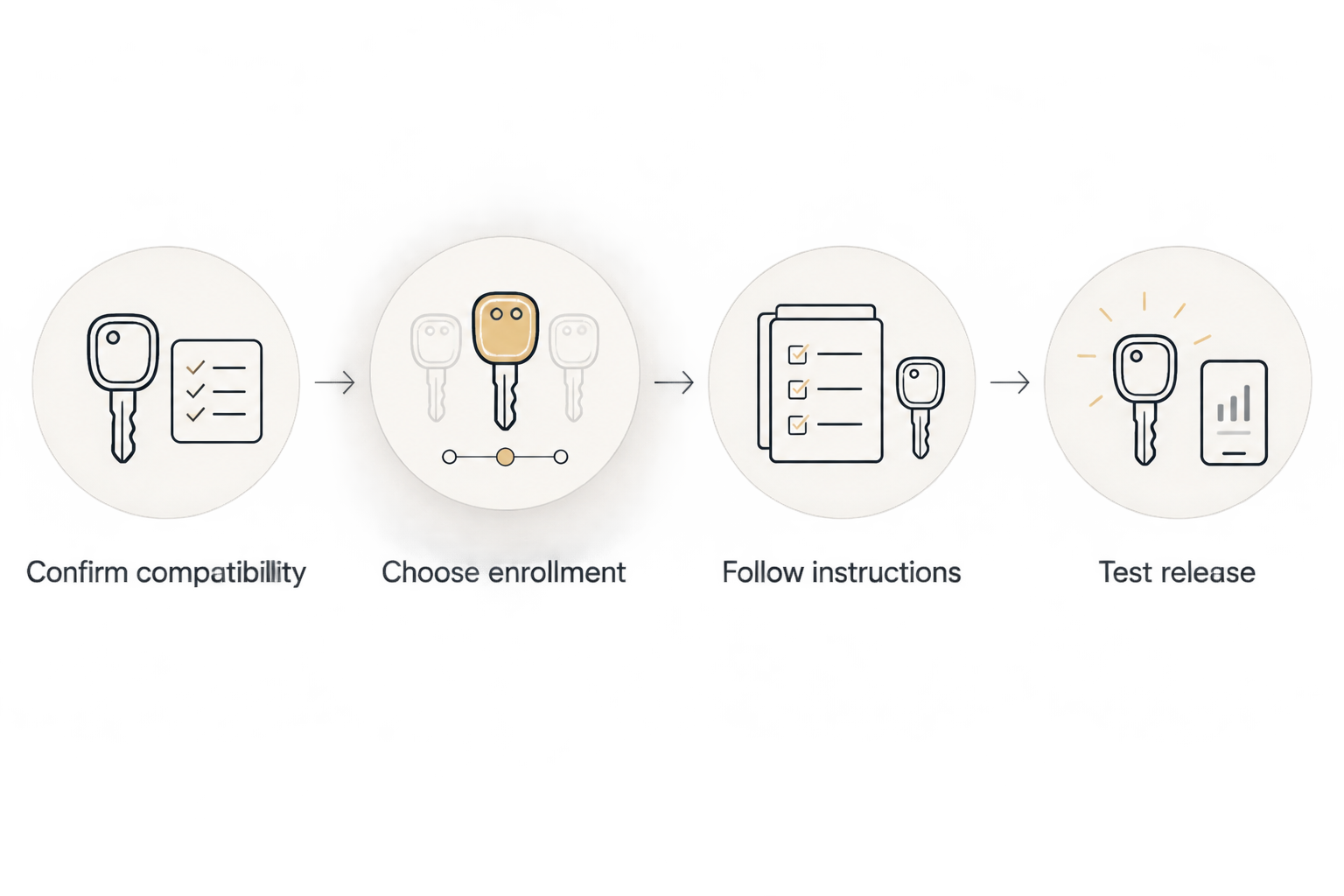
Compatibility and the correct enrollment route come before testing the trunk button.
If you have no original or working key, treat that as a different starting condition. Instructions for adding a spare often assume an existing registered key; they are not automatically suitable for an all-keys-lost situation.
Trunk-release verification
Test release
- Park safely, apply the parking brake, and clear the area around the trunk or liftgate. Keep people and objects outside its movement path.
- Check the owner’s manual for the trunk button’s exact operation. Some vehicles use a sustained press; others specify a different action. Follow the documented command rather than guessing a duration.
- Test the replacement remote’s door buttons and record what works. Keep existing remotes away from passive-entry sensors when practical so they do not mask a problem with the replacement.
- Test the trunk command under the conditions specified in the manual. Note whether you hear a latch release, see movement, or get no response.
- Test any existing remote under the same conditions. Then check the vehicle’s interior trunk-release control if fitted and permitted by its operating instructions.
- Verify engine-start operation separately when the replacement also serves as an ignition or proximity key. Retest existing keys and remotes after enrollment.
Expected result: You know whether the replacement operates the doors, releases the trunk, and authorizes starting where applicable. You also know whether any existing remote stopped working.
Do not mistake unlatching for powered opening. A remote release can unlock or pop the trunk without lifting the lid fully; powered liftgate movement requires the corresponding vehicle equipment.
When the replacement starts the car but will not open the trunk
A combined key and remote contains functions that should be checked separately. Engine-start authorization concerns the vehicle’s immobilizer system; remote locking and trunk release concern its remote-entry functions, even when they share one housing.
Successful pairing a spare key fob with an immobilizer therefore does not, by itself, prove that the trunk button is enrolled or compatible. The useful next step is to compare the remote-entry results, not to assume the entire replacement is defective.
If the car starts but none of the remote buttons work, confirm whether the vehicle requires a separate remote-enrollment step. If the door buttons work but the trunk button does not, focus first on the trunk command, equipment match, and release settings.
Do not repeat immobilizer programming solely because the trunk stays shut. Tell the programming provider exactly which functions pass and fail so the next check addresses the actual symptom.
A second workflow: restore a previously working trunk button
A remote that previously opened the trunk needs a different starting point from a newly purchased replacement. Establish what changed before attempting enrollment again.
- Check recent changes. Note a fob-battery replacement, vehicle-battery problem, dropped remote, water exposure, or changed vehicle setting.
- Inspect the fob battery. Confirm the correct type, polarity, and contact placement using the remote’s instructions. A battery change alone is not evidence that programming was erased.
- Compare controls. Test another registered remote and the interior release under the same vehicle conditions.
- Check restrictions. If the vehicle has a valet, privacy, or trunk-release-disable setting, follow the owner’s manual to check its state.
- Re-enroll only when supported. Use a documented resynchronization or enrollment procedure if the vehicle instructions call for it; otherwise seek diagnosis.
Expected result: You distinguish a power, operating-condition, or trunk-system problem from a remote that actually needs enrollment.
Keep the distinction practical: a remote with functioning door buttons is sending commands the vehicle recognizes. That narrows the investigation, but it does not prove the trunk button or trunk hardware works.
Troubleshooting without starting over
None of the replacement’s buttons work
Check battery installation and compatibility first, then confirm that enrollment actually completed. If the original remote still works, that comparison helps isolate the replacement or its registration; it does not identify the exact failed component.
Door buttons work, but the trunk button does nothing
Use the documented press pattern and check any applicable trunk-release restrictions. Compare the original remote and interior release before deciding that programming failed. A replacement with the wrong button configuration remains a possibility even when some functions work.
The latch clicks, but the lid stays down
A click is different from no response. Check whether the vehicle provides release-only operation, and look for visible obstruction without forcing the lid. An apparent mechanical problem needs assessment rather than repeated enrollment.
An existing remote stopped working after enrollment
Review whether the procedure required every remote to be enrolled in the same session. Have all remaining remotes ready and follow the correct vehicle-specific recovery process; do not delete registrations experimentally.
No remote or interior control releases the trunk
Stop treating the replacement fob as the only suspect. Check the owner’s manual for operating restrictions and approved access methods. If access is the immediate problem, distinguish opening a locked car trunk without a key from programming a replacement remote; these are different service needs.
Customize the service request to your actual problem
Before calling, write down the vehicle details, replacement-fob identifiers, whether any working keys remain, and the results of your door, trunk, and starting tests. Say whether the replacement is new to the vehicle or previously worked.
Request the specific help you need: compatibility confirmation, car key programming, replacement-key service, or trunk-lockout assistance. Do not describe every trunk problem as a programming failure.
GO Locksmith serves Fort Myers and the confirmed Southwest Florida areas of Cape Coral, Lehigh Acres, Estero, Bonita Springs, and Naples. Call (239) 412-1101 to confirm support for your vehicle, check current availability, and request a job-specific estimate.
FAQ
Can I program a replacement key fob to open my trunk myself?
You can use owner enrollment only if your exact vehicle supports it and you meet its requirements. Follow the documented procedure; otherwise, confirm professional programming support for the vehicle and remote.
Does a trunk button mean a replacement fob will work with my car?
No. A trunk symbol describes a button, not verified compatibility. The replacement electronics and vehicle application must match, and the vehicle must support remote trunk release.
Why does my replacement key start the car but not open the trunk?
Engine-start authorization and remote trunk release are separate functions. Check remote enrollment, replacement compatibility, and the vehicle’s trunk-button operating instructions.
Do I need to reprogram my fob after replacing its battery?
A battery replacement does not automatically mean the fob needs reprogramming. Confirm the battery type, polarity, and contacts, then follow any vehicle-specific resynchronization instructions.
Can programming make my trunk open all the way?
Programming cannot turn release-only trunk hardware into a powered opening system. Whether the lid unlatches or moves under power depends on the vehicle’s installed equipment.
Can a used replacement fob be programmed to another car?
Reusability depends on the fob and vehicle system. Confirm that the specific remote is eligible for enrollment before attempting programming.
What should I tell a locksmith about a trunk-button problem?
Provide the vehicle’s year, make, model, fob details, and whether any working keys remain. Explain separately whether the replacement locks the doors, starts the engine, and releases the trunk.
One last thing
Record what each key does before the programming visit ends. Check every retained remote, not just the replacement. Finding that an older remote no longer works while help is still present is more useful than discovering it the next time you need your spare.
For vehicle-specific programming questions, call GO Locksmith at (239) 412-1101 during service hours: Sunday–Thursday, 7:00 AM–11:00 PM; Friday, 7:00 AM–4:00 PM; Saturday closed.