Blog ·
Automatically unlock commercial exit doors when the fire alarm triggers
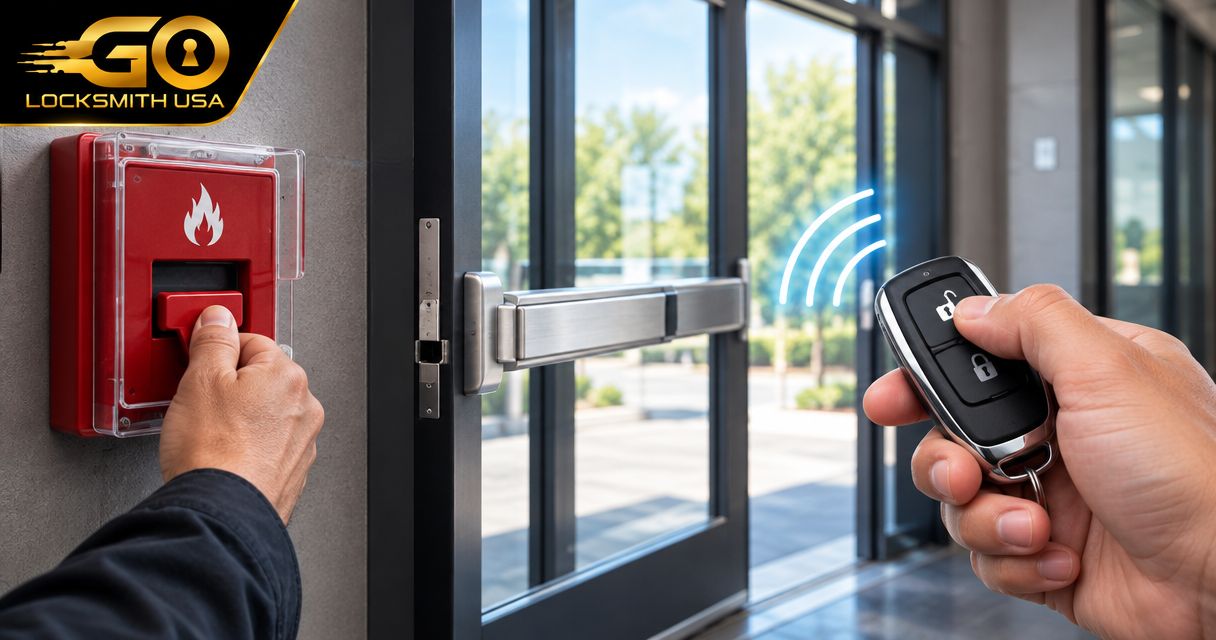
Instead of relying on someone to unlock exit doors when fire alarm triggers, have a qualified fire-alarm and access-control contractor design an approved release arrangement for the doors that require it. Not every exit door needs alarm-controlled unlocking: the first question is whether people can already leave freely from inside.
TL;DR
- To unlock exit doors when fire alarm triggers, use an approved life-safety interface, not a consumer automation.
- Mechanical exit hardware can permit escape while the outside remains locked; alarm-controlled unlocking is not universal.
- GO Locksmith provides mechanical commercial locksmith services, not electronic access-control installation or repair.
- Have qualified contractors document release behavior, power-loss behavior, testing, and reset requirements before changing equipment.
Why the door hardware comes first
An exit door has separate jobs: allowing people out, controlling entry, and, where applicable, helping contain fire and smoke. Unlocking the exterior side does not necessarily improve escape, and releasing a lock does not mean the door should stand open.
GO Locksmith provides commercial lock repair, replacement, rekeying, push-bar services, and door-closer services. GO Locksmith is the appropriate contact for mechanical commercial locksmith work, not fire-alarm integration. Electronic access-control installation and repair are outside its confirmed services.
This guide explains the planning and verification workflow for a building owner or manager. It is not a wiring guide: the correct connections, settings, and release conditions depend on the actual equipment, approved design, and applicable local requirements.
If an occupied building has a door that prevents people from leaving, treat that as an immediate life-safety problem. Follow the building's emergency procedures and contact emergency services when people are in danger; do not wait for an automation project.
Before you start
- Gather the door records. Obtain the door schedule, hardware information, fire-alarm documentation, and existing approved plans. Arrange authorized access with the building owner and the contractors responsible for the systems.
- Identify the responsible specialists. Involve the qualified fire-alarm contractor, access-control contractor where applicable, and the local authority having jurisdiction, such as the fire marshal or building official. Assign mechanical hardware issues separately.
- Check the easily missed distinction. A door that stays locked from outside can still provide free exit from inside. Do not specify blanket unlocking until the team identifies what actually restricts egress and whether the opening is fire-rated.
Do not open alarm panels, disconnect lock power, bridge contacts, or copy settings from another building. Even similar-looking doors can have different hardware, release requirements, and approved functions.
Door inventory
Record what each opening actually does
- Identify the opening. Give each door a clear location description that matches the building records. Note whether it serves an exit route, a stair enclosure, an interior room, or another function.
- Record the hardware. Photograph visible manufacturer labels and note the push bar, latch, closer, electrical locking hardware, and any separate release devices. Do not remove covers or disturb wiring to identify equipment.
- Separate entry from exit. Ask the responsible professional to document how an occupant leaves during normal use and what, if anything, electrically prevents that movement.
- Record restrictions. Identify fire-rating labels, damaged hardware, binding doors, added deadbolts, or undocumented modifications for professional review.
Expected result: a door-by-door inventory showing which openings need mechanical attention and which require an electrical release review. “Unlock every door” is not an adequate specification.
Compare the hardware functions
These categories explain why a single alarm rule cannot safely describe every commercial door. They are not interchangeable product recommendations.
| Hardware or arrangement | Best suited to | Useful function | Limitation to check |
|---|---|---|---|
| Mechanical exit device | Openings whose approved design uses mechanical egress | Occupants operate the exit hardware without relying on an alarm signal | A push bar does not prove the entire opening complies or works correctly |
| Electromagnetic lock | Approved electrically locked arrangements requiring a designed release method | Electrically controls the locking function | Release requirements depend on the arrangement; a badge-reader command alone is not enough to establish compliance |
| Electric strike with compatible lock hardware | Openings needing controlled entry while retaining the specified exit operation | Controls the latch at the frame | Exit behavior depends on the complete lock-and-door assembly, not the strike alone |
| Electromagnetic door holder | Approved arrangements that hold a door open during normal conditions | Releases the door so its closer can close it | Releasing a holder is not the same action as unlocking an exit |
Choose the required door function before choosing an alarm response. In particular, do not confuse a magnetic lock that holds a door locked with a magnetic holder that holds a door open.
Release plan
Specify the required behavior before configuration
- Request the governing requirements. Have the design team identify the adopted building and fire-code provisions for the occupancy and locking arrangement. Relevant references can include NFPA 101 for life safety, NFPA 72 for fire-alarm interfaces, and NFPA 80 for fire-door assemblies; the applicable edition and local amendments must be established for the property.
- Define the release conditions. Ask the responsible contractors to document which alarm conditions affect which doors. Include applicable power-loss and manual-release behavior rather than assuming every alarm signal produces the same action.
- Confirm equipment compatibility. Require the contractors to check the actual panel, interface, power supply, locking hardware, and manufacturer instructions. A device name or a relay terminal by itself does not establish a compliant arrangement.
- Assign reset responsibility. Document how the system returns to its normal condition and who is authorized to restore it. Include any required manual actions and the conditions that must be checked first.
Expected result: a written release plan that identifies the affected doors, required responses, responsible contractors, and approval requirements. Installation and configuration should follow that plan—not an improvised app routine.
A useful handoff sequence is Door inventory, Release plan, then Acceptance testing. Each stage answers a different question: what is installed, what must happen, and whether the completed arrangement does it.
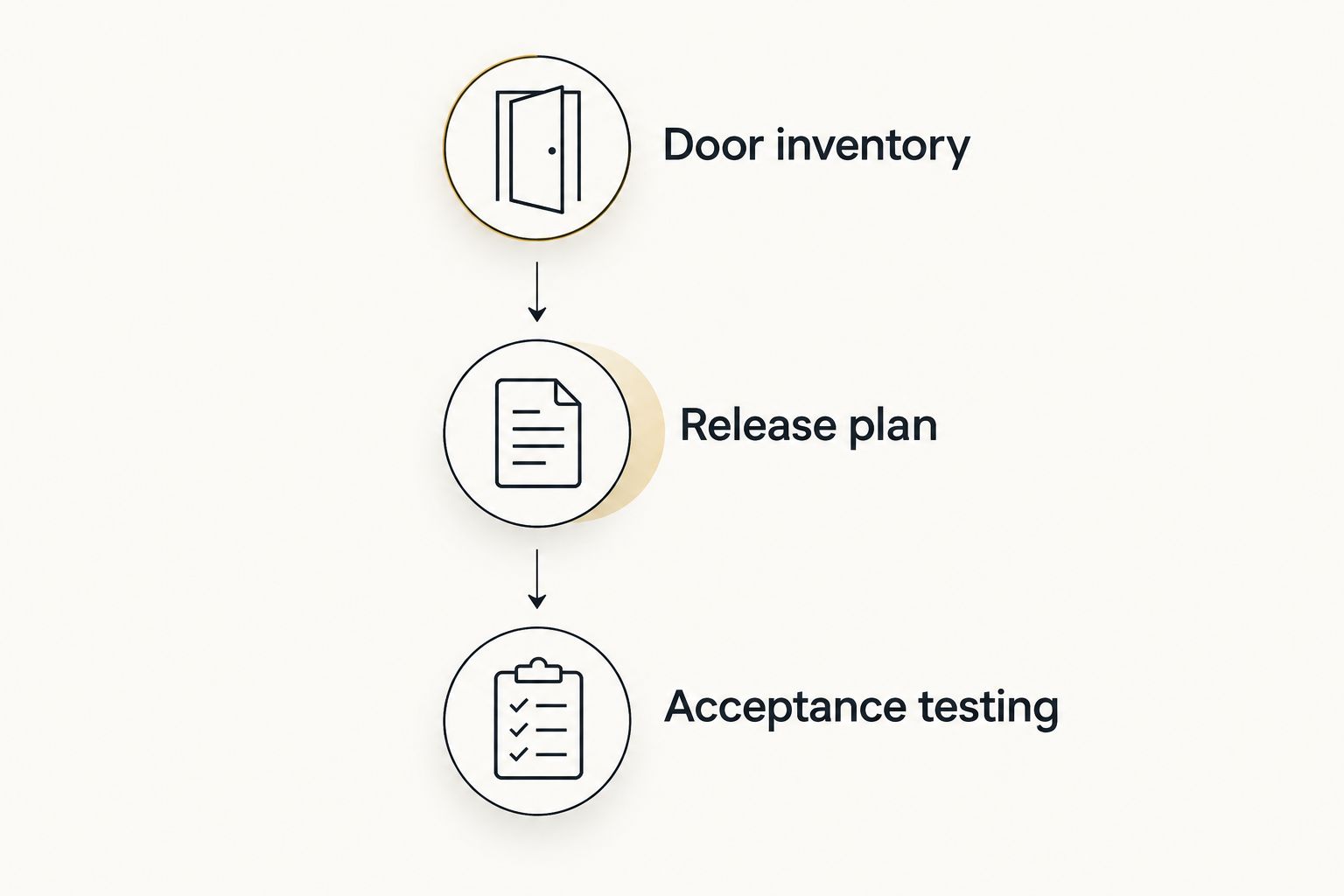
Document the required behavior before anyone changes equipment.
Keep the release function separate from convenience automation
A phone notification, cloud routine, or scheduled unlock command is not a substitute for an approved life-safety interface. Internet connectivity and a successful app demonstration do not establish how a door behaves during an actual alarm or equipment fault.
Do not ask staff to compensate for an unsuitable arrangement by carrying keys or remembering to unlock a door when the alarm sounds. Resolve the required egress function through the approved hardware and system design.
There is no universal button name or software setting for this job. The contractor must use the actual manufacturer's documentation; instructions for an unrelated panel or controller can produce the wrong result.
Acceptance testing
Verify the complete opening, not just a dashboard status
- Coordinate the test. Have the responsible fire-alarm contractor arrange required notifications, monitoring coordination, and any impairment procedures. Building staff should not activate or disable a monitored system independently for this project.
- Verify normal operation. Confirm the documented exit operation and normal entry-security behavior at each affected opening before testing the alarm response.
- Test the approved scenarios. Have qualified personnel perform the required alarm, power-loss, and manual-release tests for the specific arrangement. Observe the door itself rather than relying only on a controller indicator.
- Check closure and latching. Where required, verify that the door closes and latches correctly after release. An unlocked opening and a properly functioning fire-door assembly are separate checks.
- Document restoration. Record results, unresolved defects, and the authorized reset procedure. Confirm normal operation before returning the system to service.
Expected result: a documented acceptance test showing the actual door response for each required condition. An audible alarm plus an “unlocked” screen message is not sufficient evidence that occupants can use the opening.
Keep the test record with the door inventory and approved documentation. A later lock replacement, controller change, or door adjustment should trigger a review of whether the change affects the approved function.
Adjacent workflow: release a held-open fire door
Sometimes the correct alarm response is to close a door, not unlock it. An approved electromagnetic holder can keep a fire door open in normal use and release it under the conditions required by the design, allowing the closer to shut it.
Ask the responsible professionals to distinguish this function explicitly in the release plan:
- Lock release: removes the applicable electrical restraint according to the approved arrangement.
- Holder release: stops holding the door open so the closer can move it toward the closed position.
- Closure and latching: confirms the opening achieves the required closed condition without an obstruction.
Do not prop open a fire door to solve a circulation problem. Do not disable its closer because the alarm release appears to work. If a door drags, fails to latch, or closes incorrectly, assign the mechanical defect for correction alongside the electrical review.
This adjacent workflow belongs in the same project because both functions can involve the alarm system, but they have different purposes and acceptance checks.
Troubleshooting: identify the failed function
The alarm activates, but the door remains locked
First establish whether “locked” means restricted entry from outside or restricted exit from inside. If occupants cannot leave as required, follow the building's safety procedures immediately and have the responsible contractors investigate; do not bypass the locking circuit yourself.
The controller reports release, but the door will not open
A status message does not rule out a binding latch, misalignment, damaged exit hardware, or another physical obstruction. Have the mechanical opening assessed and the electrical release verified separately. Do not assume additional software commands will correct a physical problem.
The door releases but stays open
Determine whether the opening is supposed to close and latch. The responsible professionals should check for an obstruction, closer problem, unreleased holder, or incompatible hardware arrangement rather than treating the release signal as proof of success.
Normal security does not return after the test
Follow the documented restoration procedure and have the responsible contractor check the alarm and locking-system states. Do not repeatedly cycle power or force a reset before the cause is understood and required checks are complete.
Customize the building's handoff plan
Expand the documentation beyond “alarm equals unlock.” Give staff a concise record of affected door locations, the contractor responsible for each system, how to report defects, and the authorized testing and restoration process.
Separate mechanical work orders from integration work orders. A push-bar problem, worn lock, or defective closer needs a different service scope from a fire-alarm interface problem, even when both affect the same opening.
GO Locksmith's confirmed commercial services include business lockouts, interior door lockouts, lock repair, replacement and rekeying, fresh installation, push bars, door closers, and broken key extraction. Ask about the specific mechanical issue; do not request electronic access-control installation or repair.
FAQ
Do all commercial exit doors have to unlock when the fire alarm sounds?
No. The required response depends on the approved locking arrangement, occupancy, and applicable code. Some doors already permit mechanical exit while remaining locked against entry from outside.
Can I use a smart-home routine to unlock exit doors when fire alarm triggers?
Do not use a consumer automation as a substitute for an approved life-safety interface. A qualified contractor must establish the required release method and equipment compatibility for the opening.
Does GO Locksmith connect commercial locks to fire alarms?
No. GO Locksmith does not install or repair electronic access-control systems. Its confirmed commercial services include mechanical locks, push bars, and door closers.
Does a push bar mean the door needs no further review?
No. A push bar alone does not establish that the complete opening operates correctly or meets applicable requirements. Added locks, electrical restraints, door condition, and the approved hardware arrangement still matter.
Should a fire door open automatically during an alarm?
Not as a general rule. A held-open fire door commonly needs to be released so its closer can close it; that is different from releasing a lock for exit.
Who should test the fire-alarm door release?
The responsible qualified contractors should coordinate and perform the required testing, with authority involvement where required. Building staff should not independently activate, disable, or rewire a monitored system.
Will a power outage unlock every commercial door?
No. Power-loss behavior depends on the hardware and approved arrangement. Have the responsible contractor verify the actual exit function and required response rather than assuming every electrical lock behaves alike.
One last thing
An exit door can be secure against entry and still let people leave freely. Before paying for alarm-controlled unlocking, ask the design team to state precisely which restraint must release and why.
For a mechanical lock, push-bar, or door-closer issue, call GO Locksmith at (239) 412-1101 to discuss the job and check availability. Service hours are Sunday–Thursday, 7:00 AM–11:00 PM, and Friday, 7:00 AM–5:00 PM; Saturday is closed. Arrange fire-alarm and electronic access-control work with the appropriate separate contractors.